New article
Recently updated
Resetting an employee password

Who is this article for?
Administrators managing users.
Administrator access is required.
This guide will walk you through the process of resetting an employee password in Ideagen Healthcare Guardian.
Resetting passwords is a vital part of user account management. It ensures employees can securely regain access to their accounts and helps protect sensitive information from unauthorized access. Whether a password is forgotten or needs to be changed for security reasons, following this process ensures a smooth and secure update.
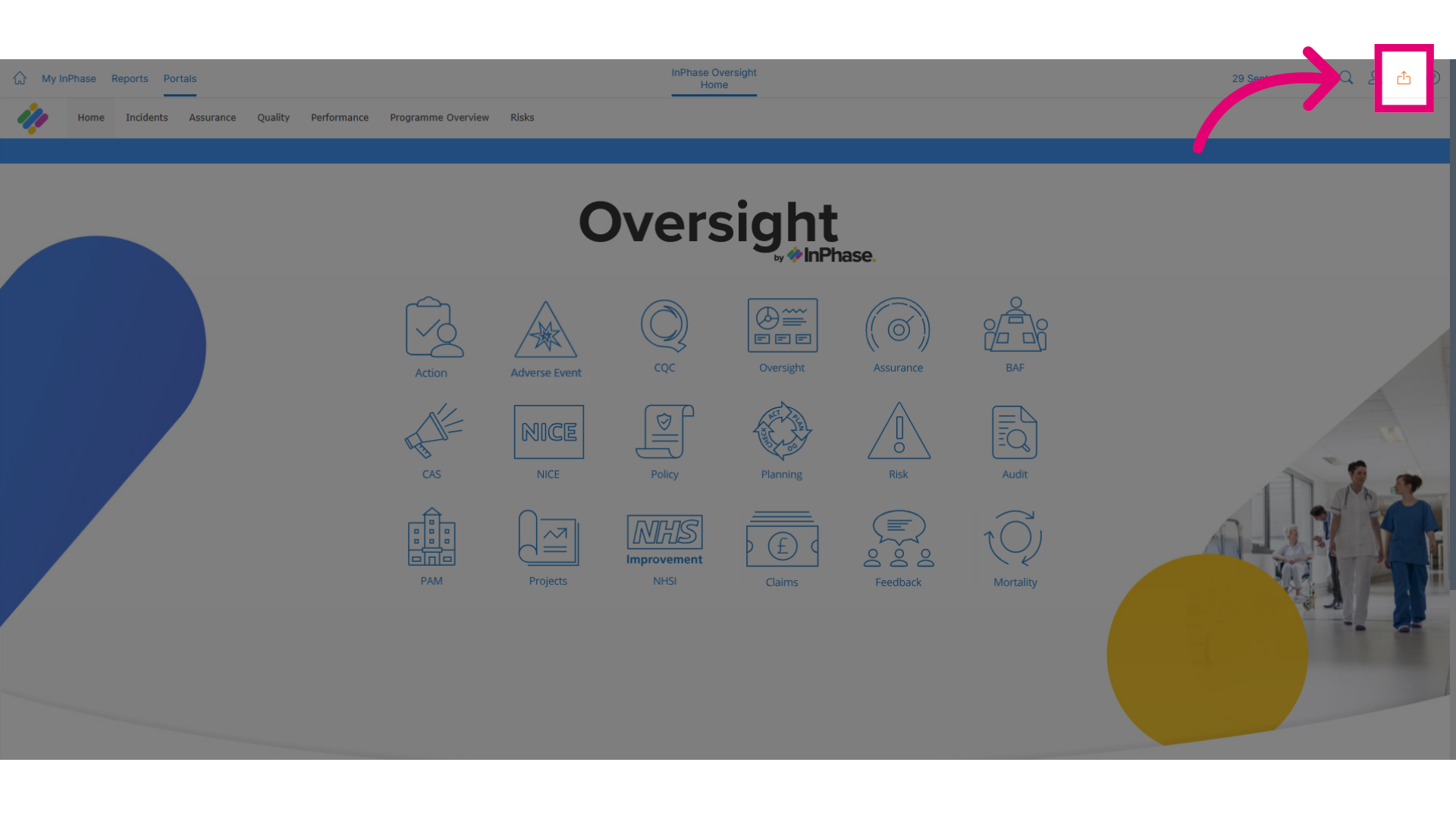
- To get started, click Send to.
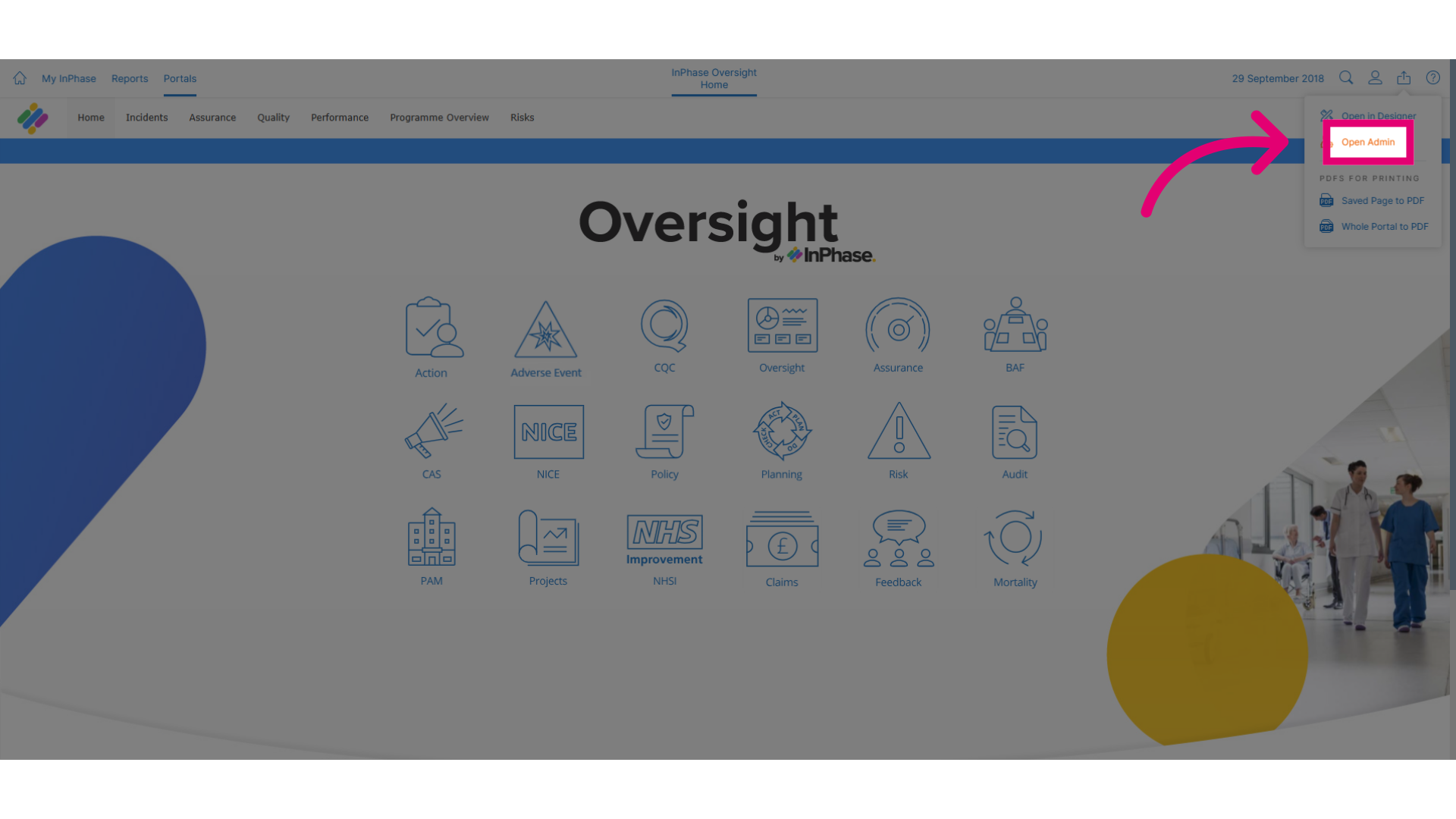
- Click Open Admin to access the administrative section.
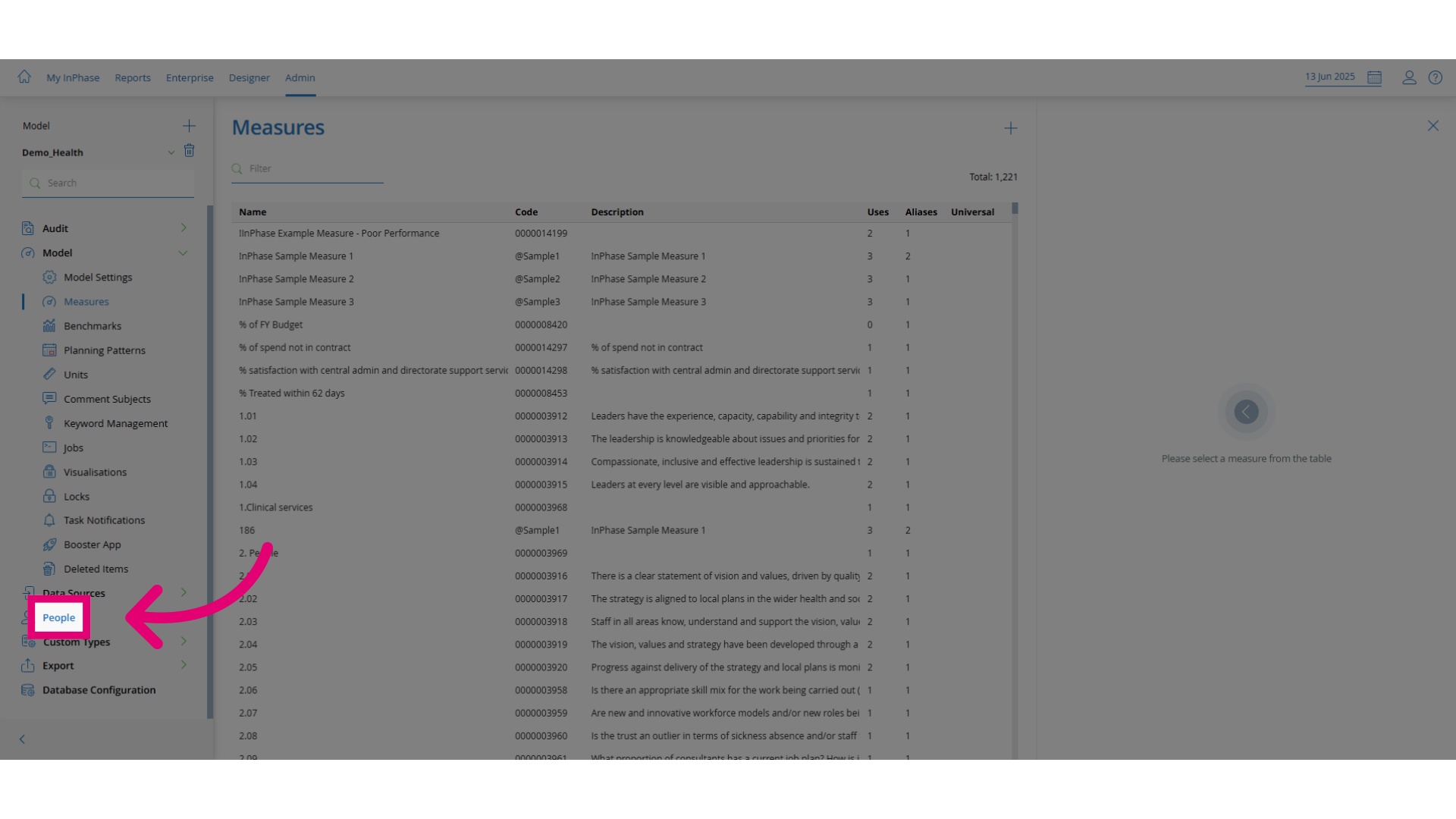
- Click People to navigate to the People tab.
- Click Employees to open the employee list.
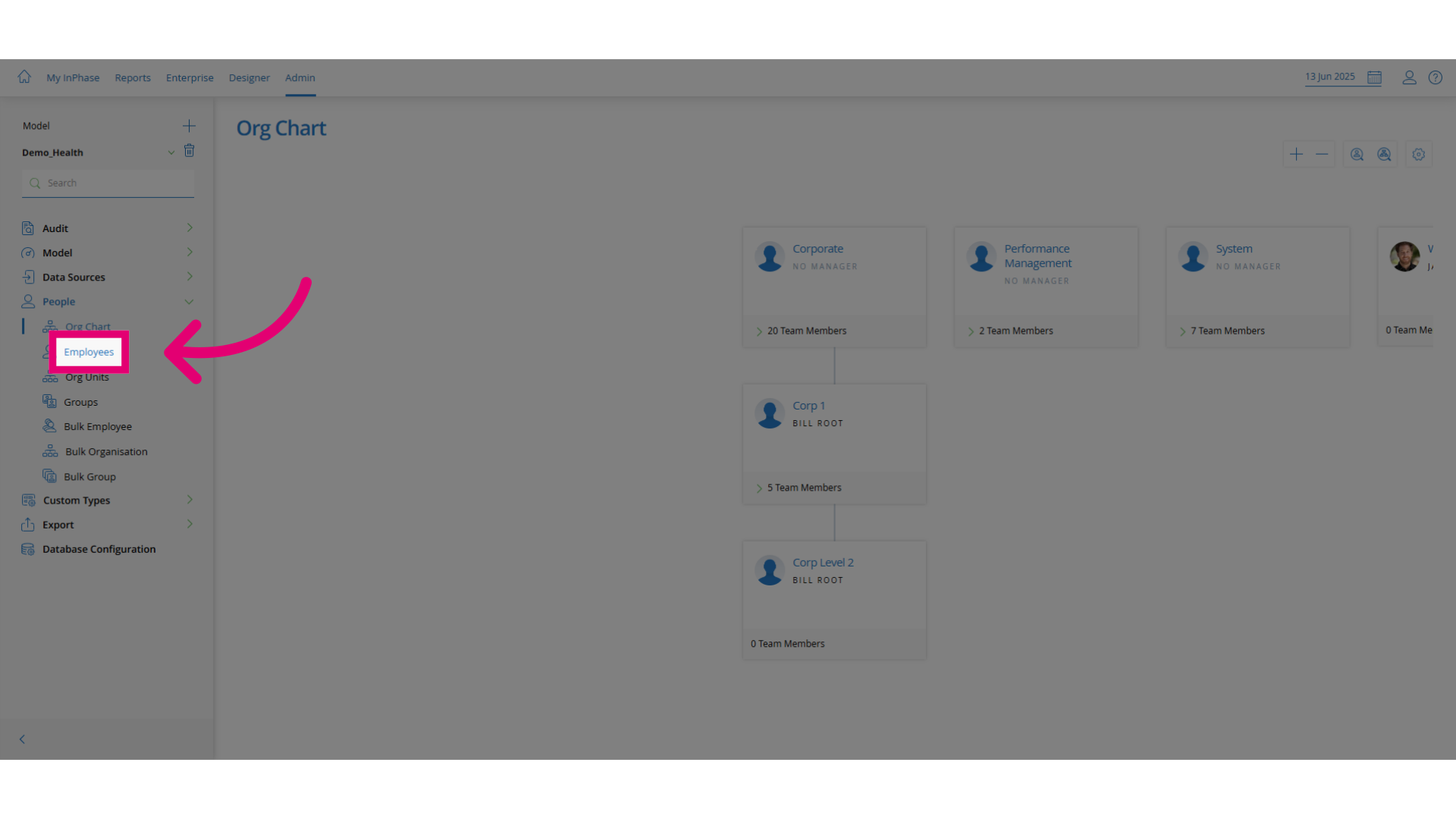
- Click Search to initiate a search.
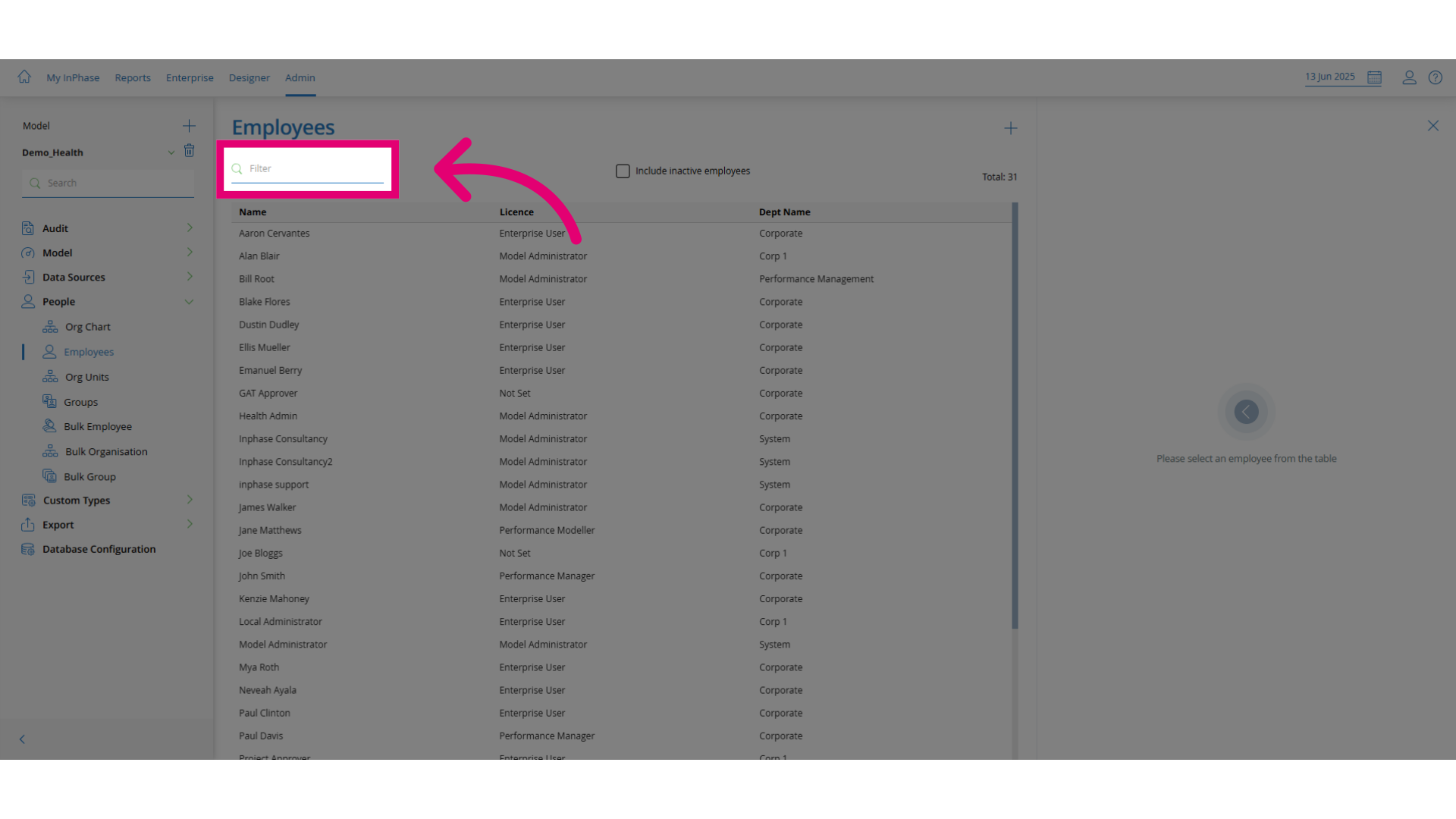
- Search for the employee by entering their name (e.g., "joe").
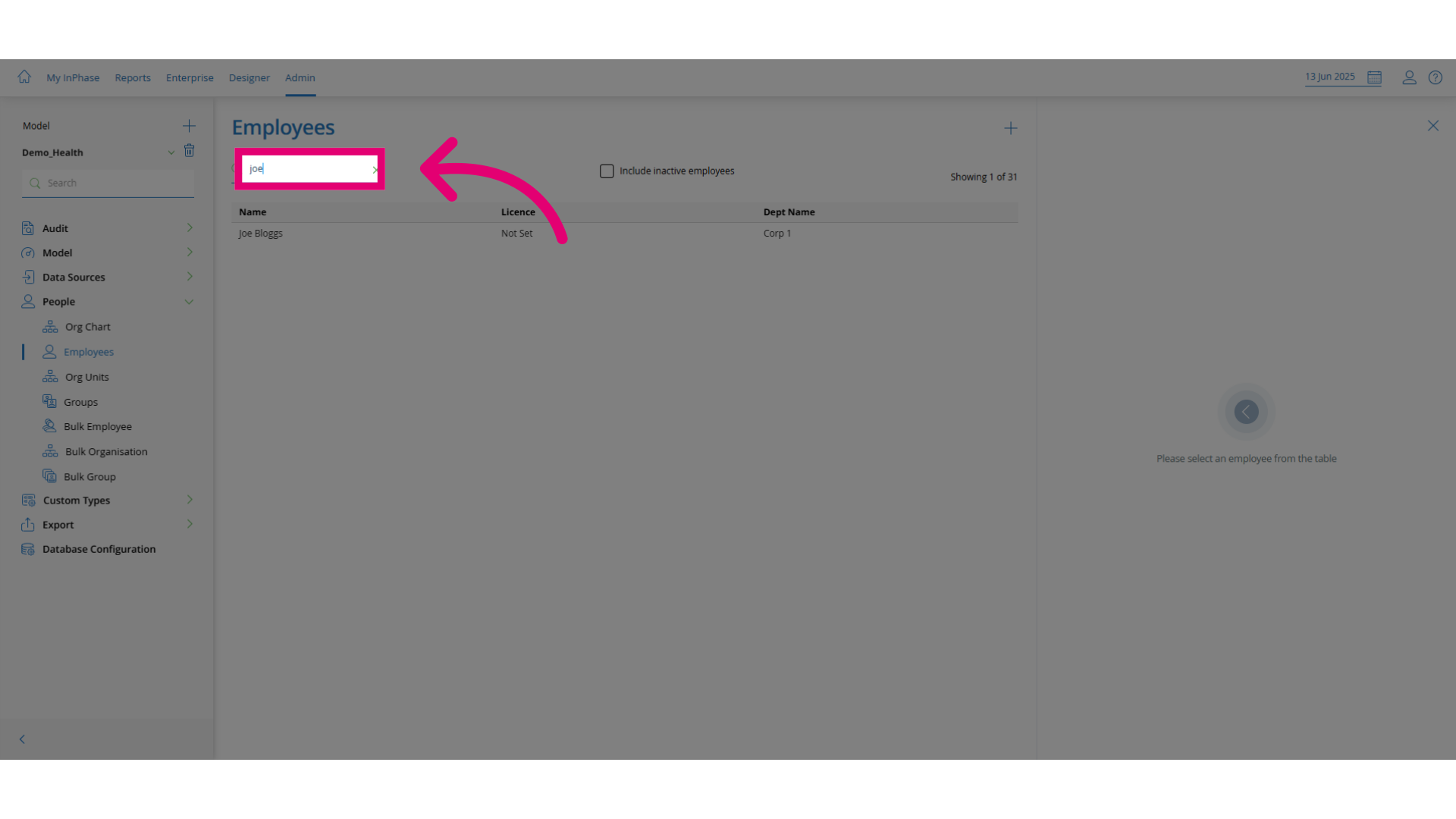
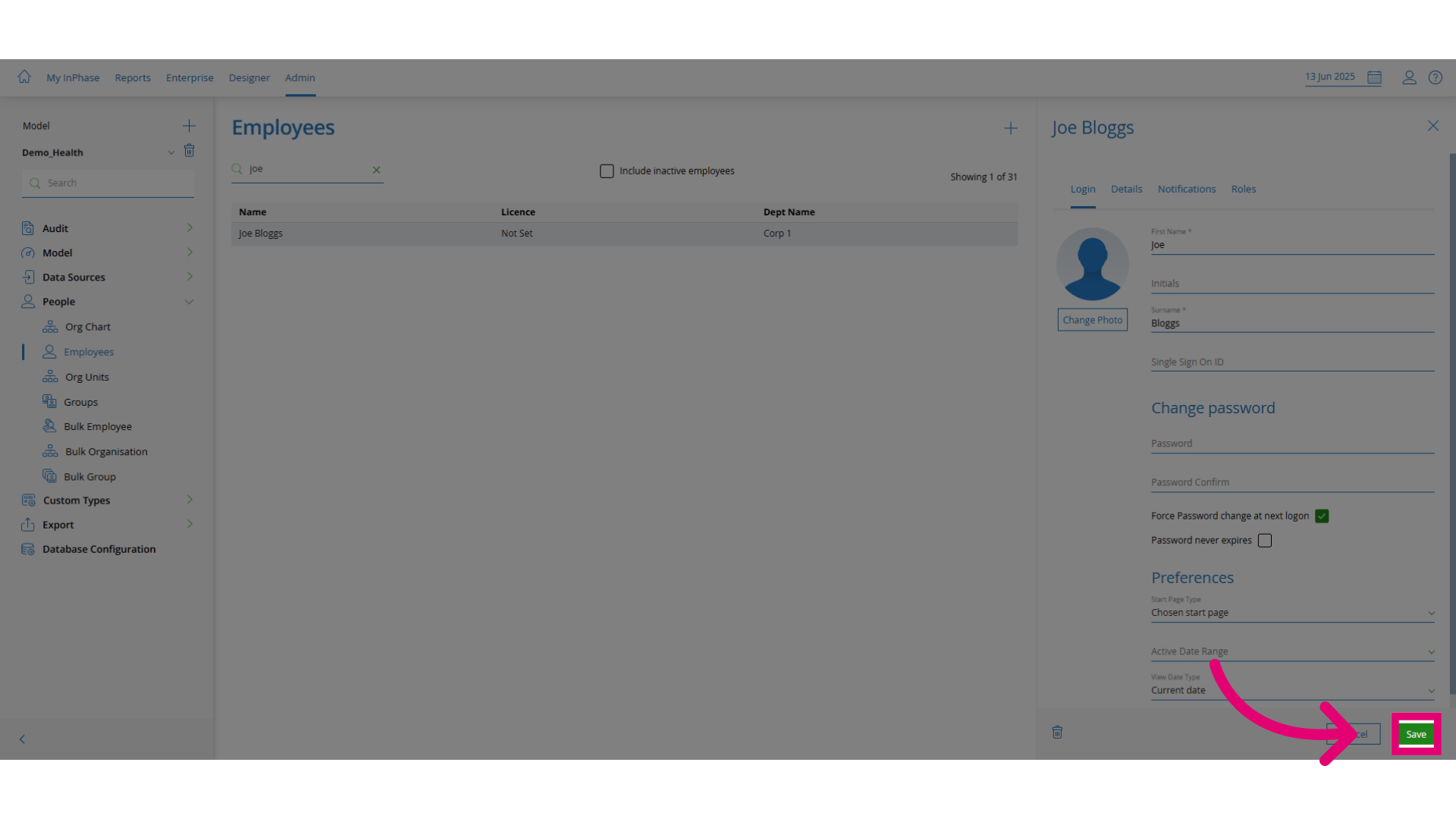
- Click the password option. Select the employee and set a new password.
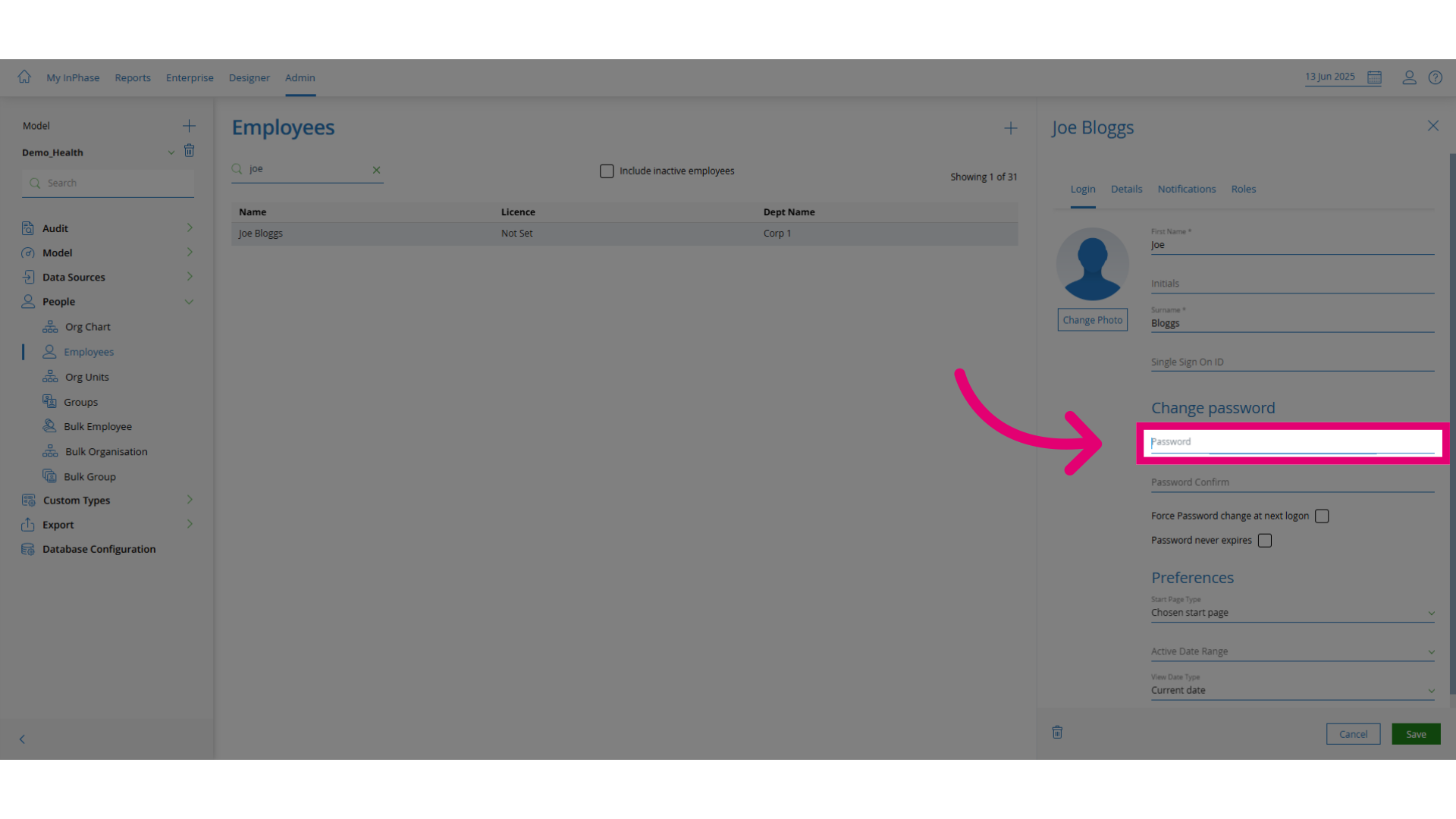
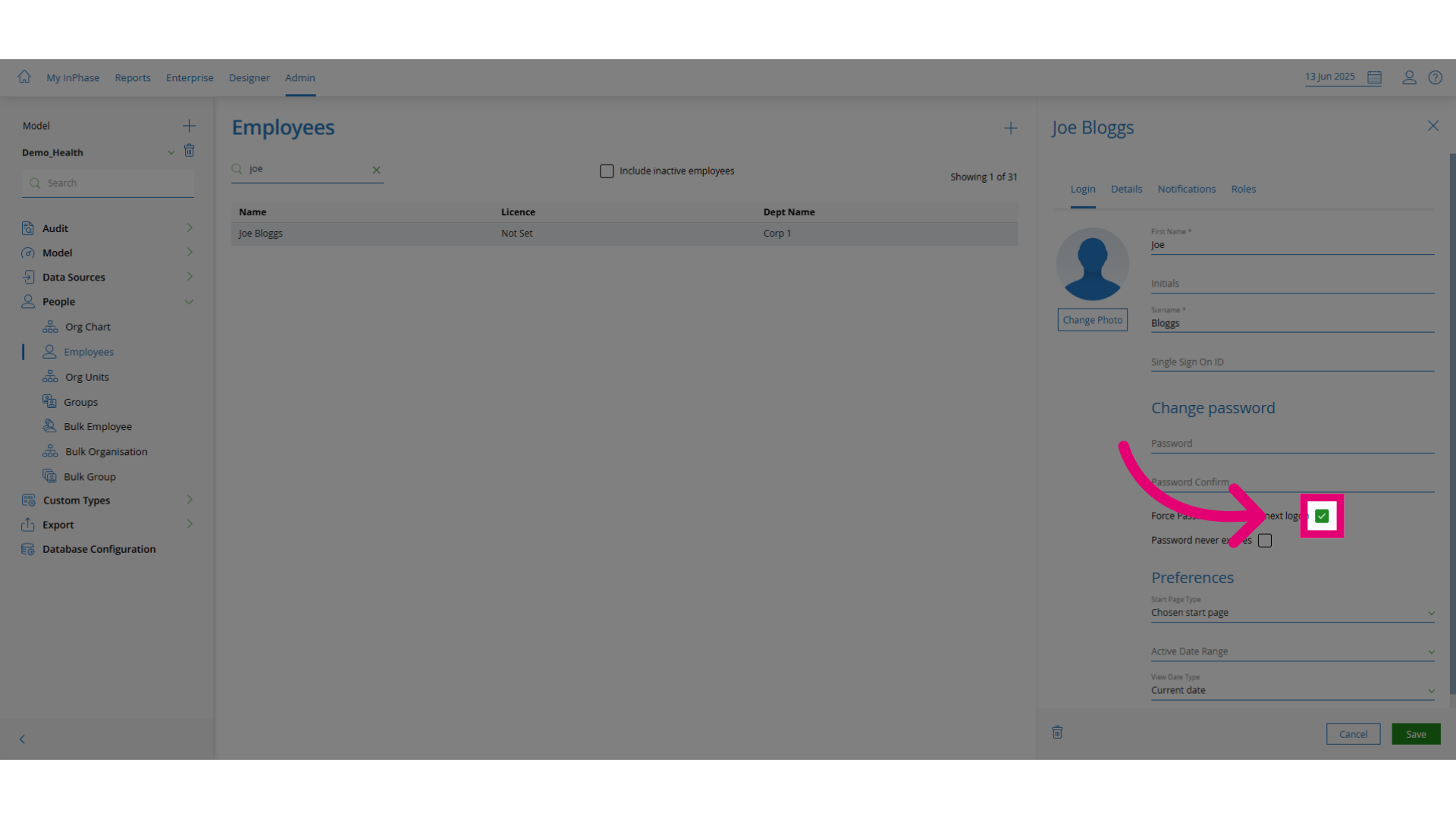
- Check the box to require the user to reset their password on next login. This is best practice for security.
- Click Save to apply the changes.