New article
Recently updated
Auditing user license assignments

Who is this article for?
Administrators managing license allocation.
Administrator access is required.
Auditing user licenses is a vital practice for organisations aiming to maintain control over their the system and ensure compliance. By regularly reviewing which users have been assigned which types of licenses, you can identify underutilised or misallocated licenses, prevent unnecessary spending, and ensure that users have the appropriate access to tools they need.
This article outlines how to audit the user licences and usage.
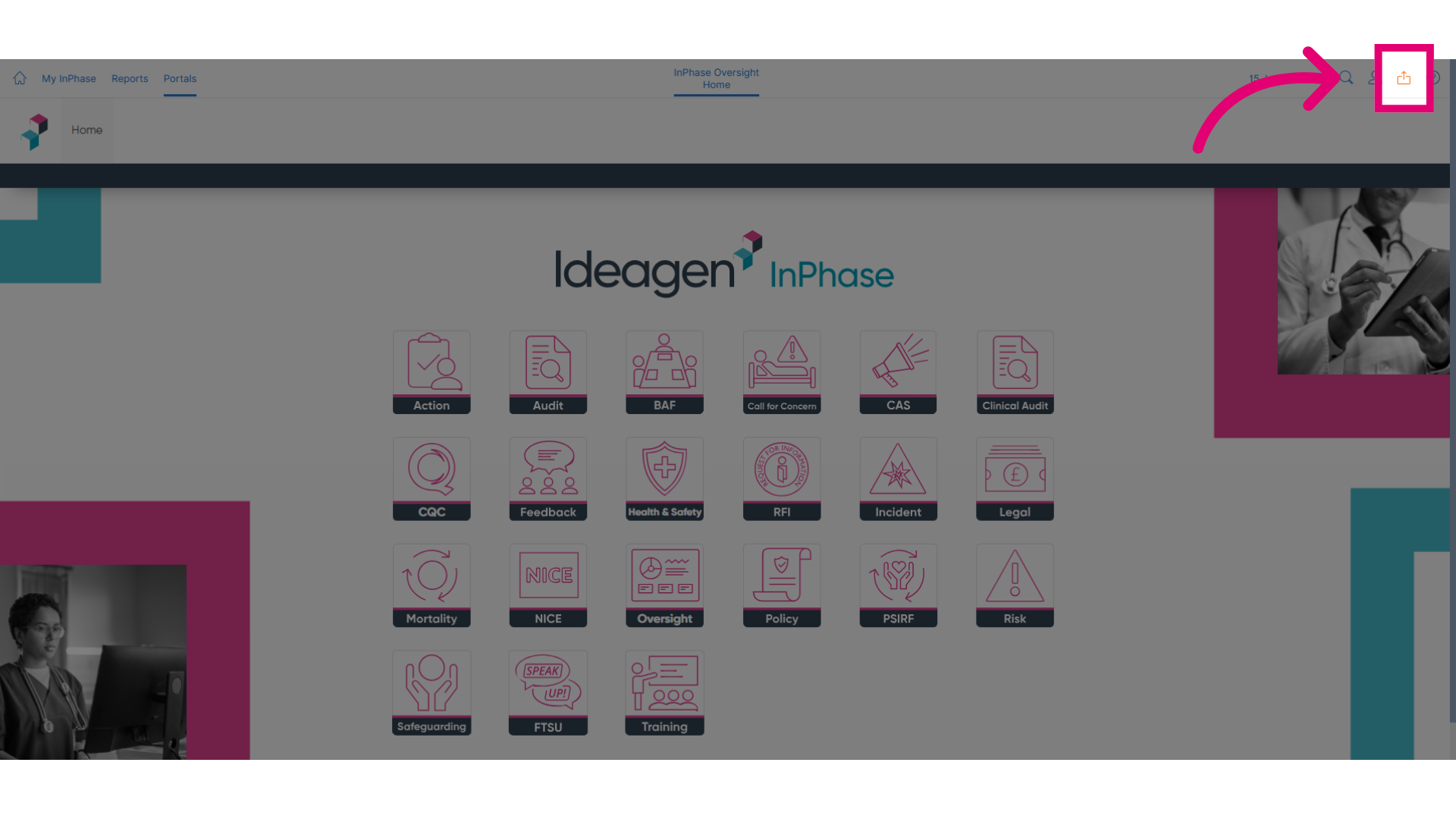
- To begin, select the Send to button.
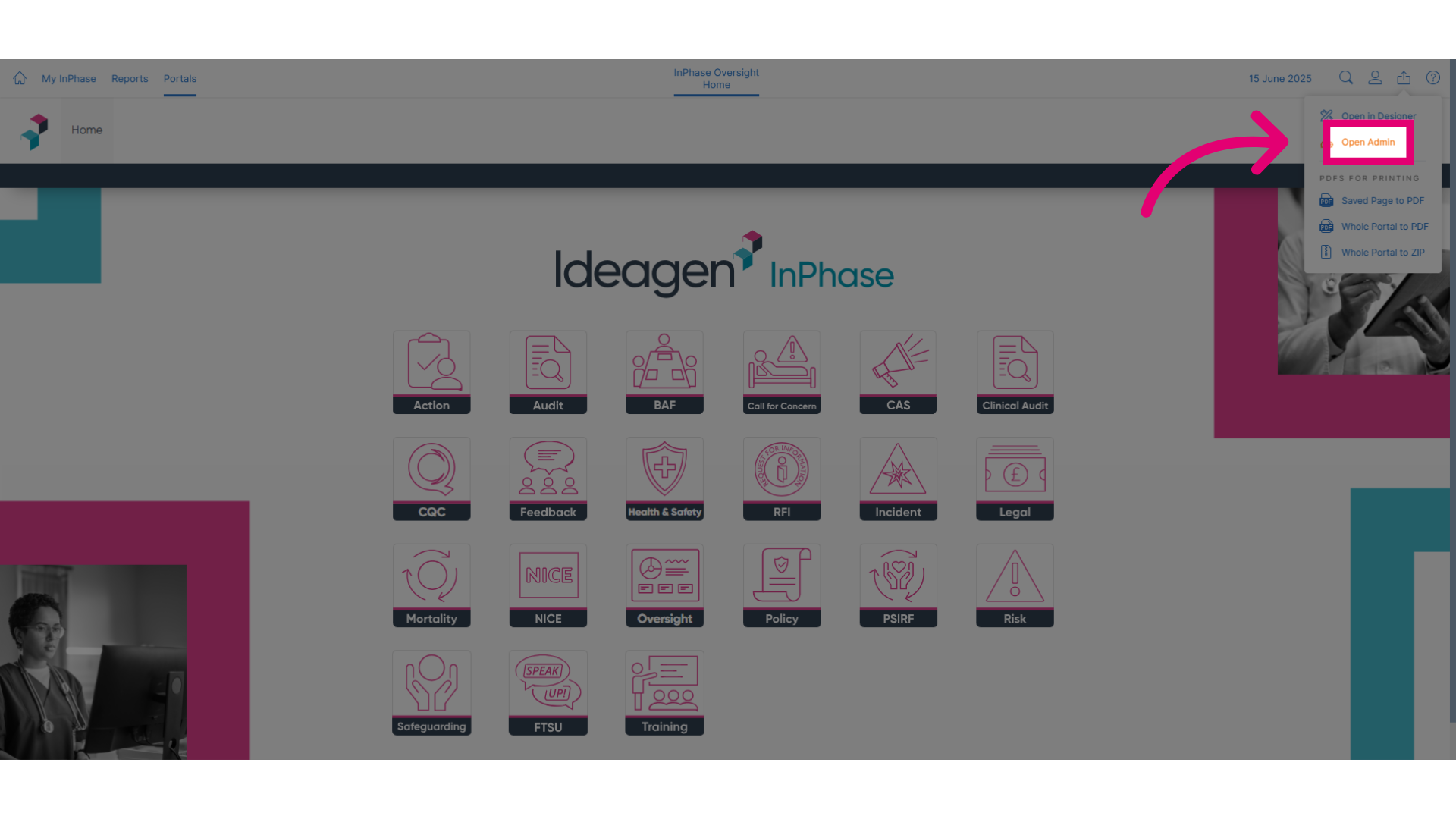
- From the menu, select Open Admin to access the admin area.
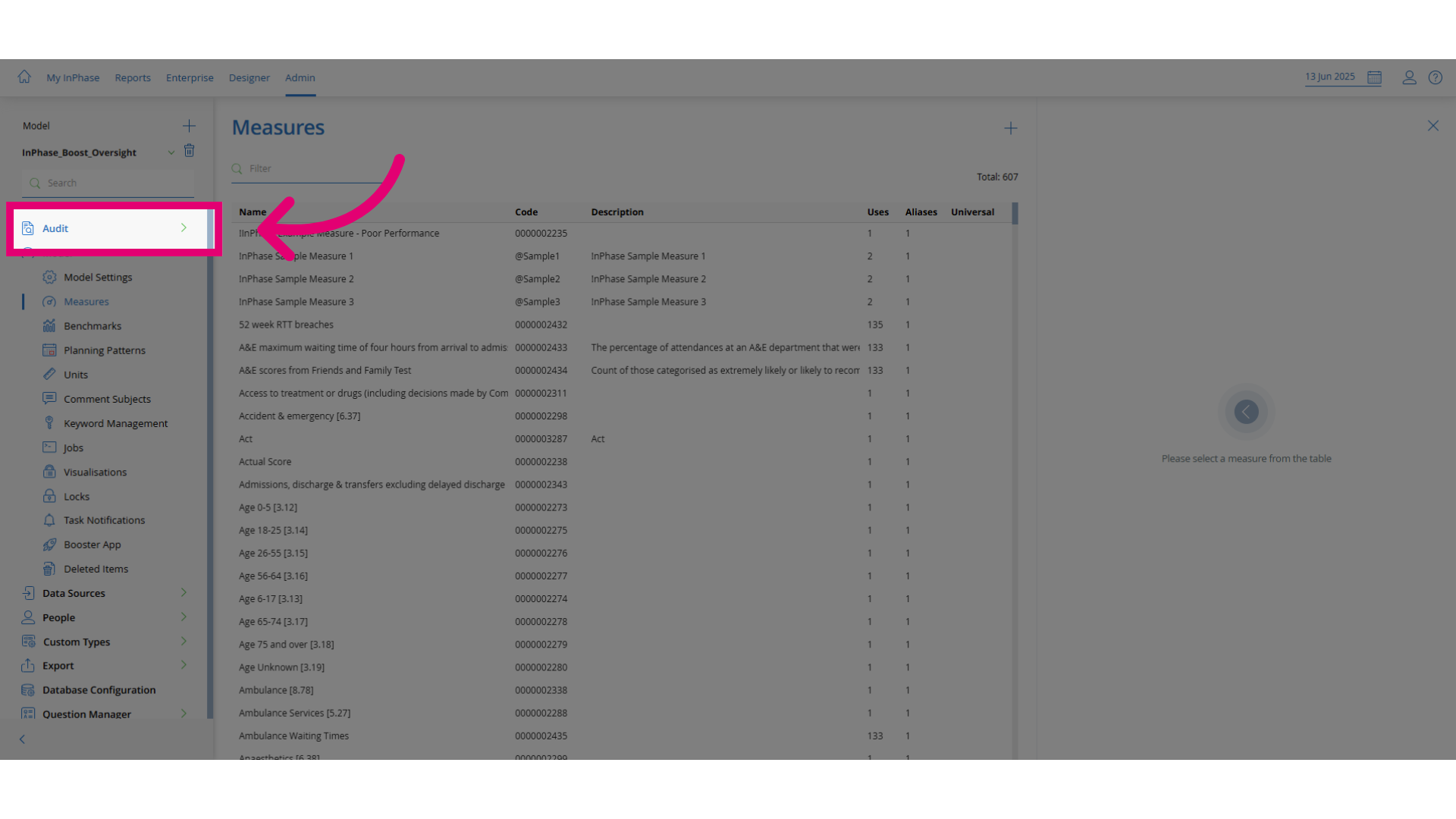
- In the admin panel, select the Audit option.
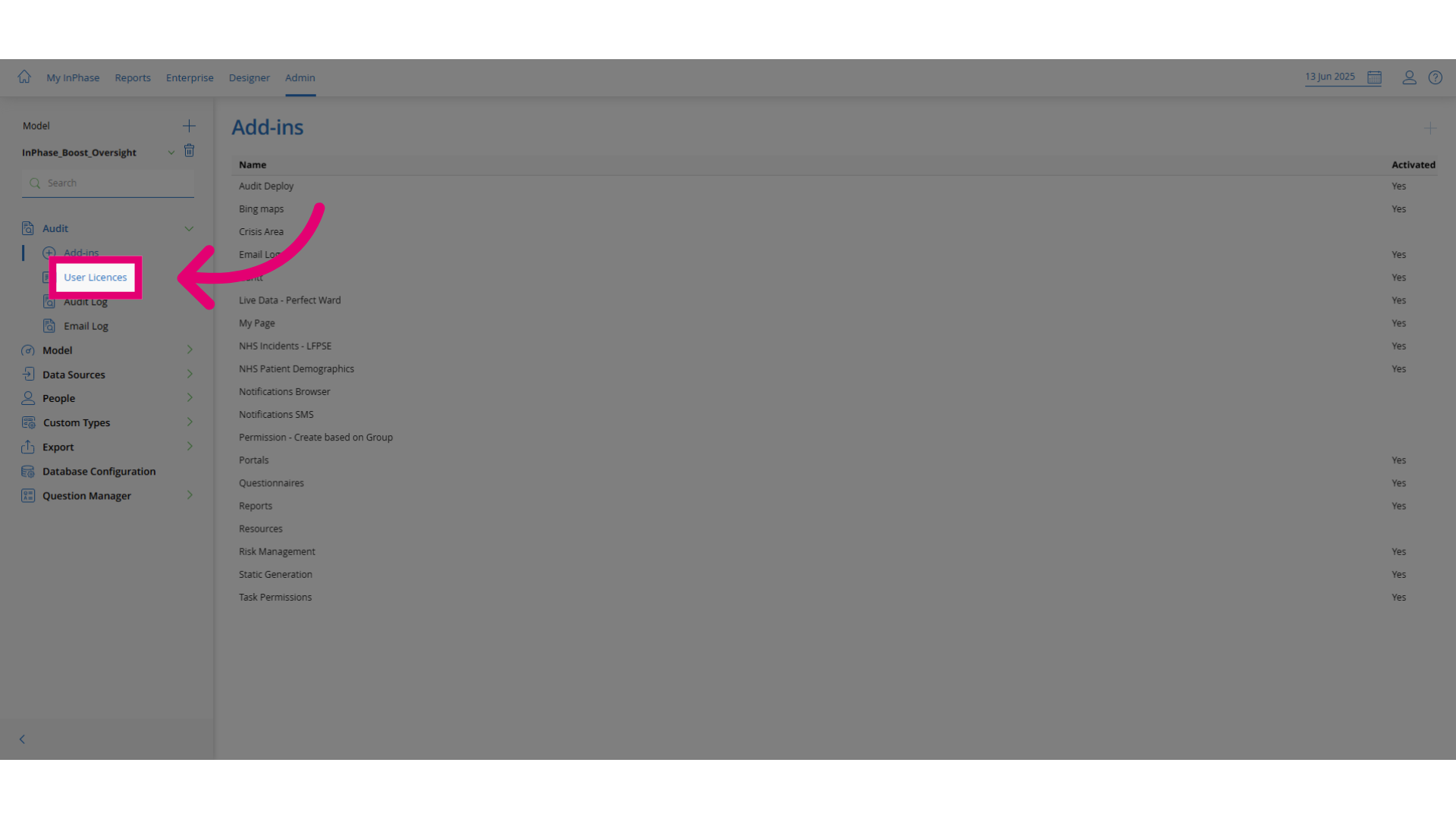
- Choose the User Licences section to view licence assignments.
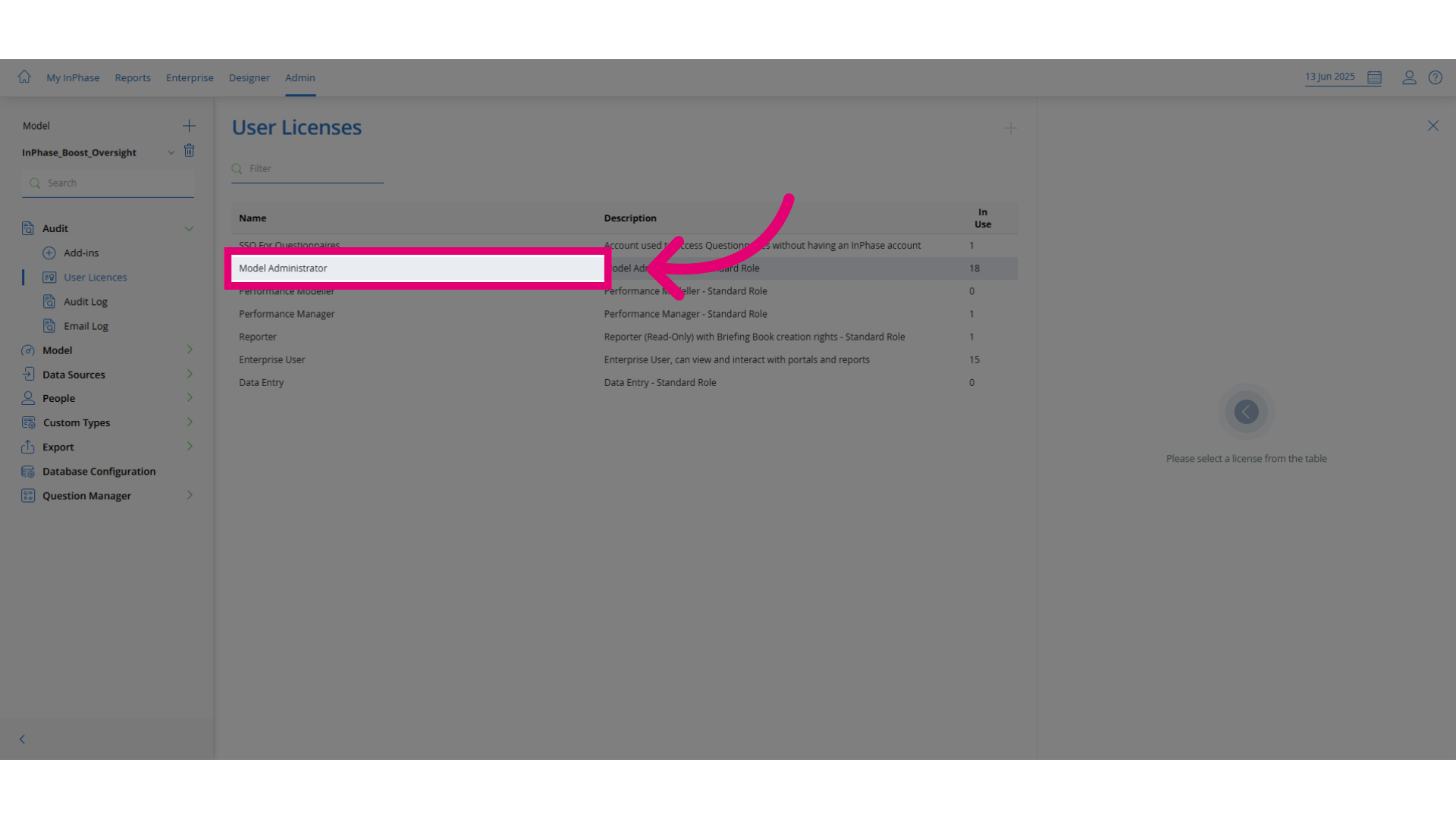
- Click on a licence type such as Model Administrator to view its details.
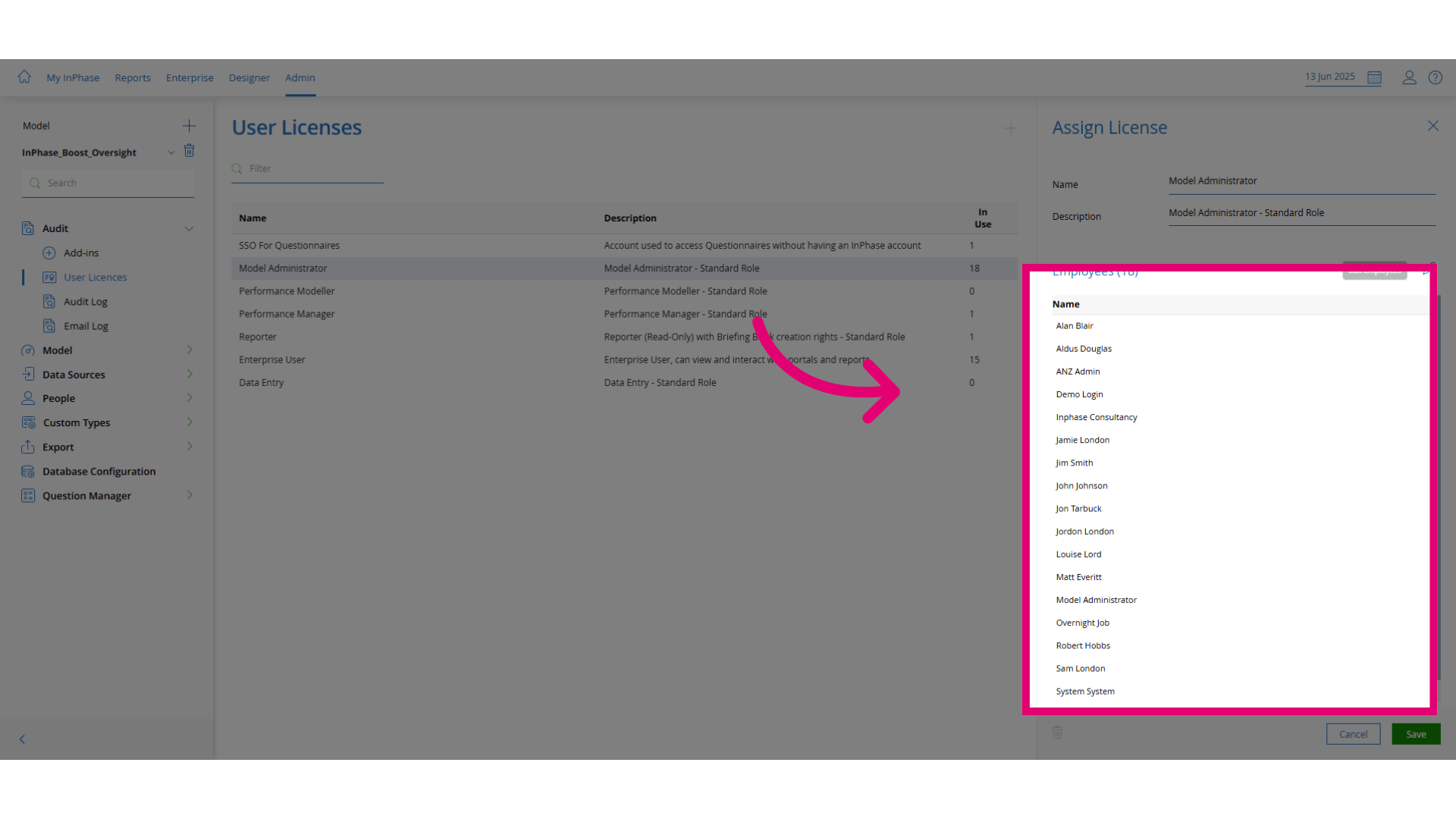
- On the right-hand side, review the list of users currently assigned to the selected licence.
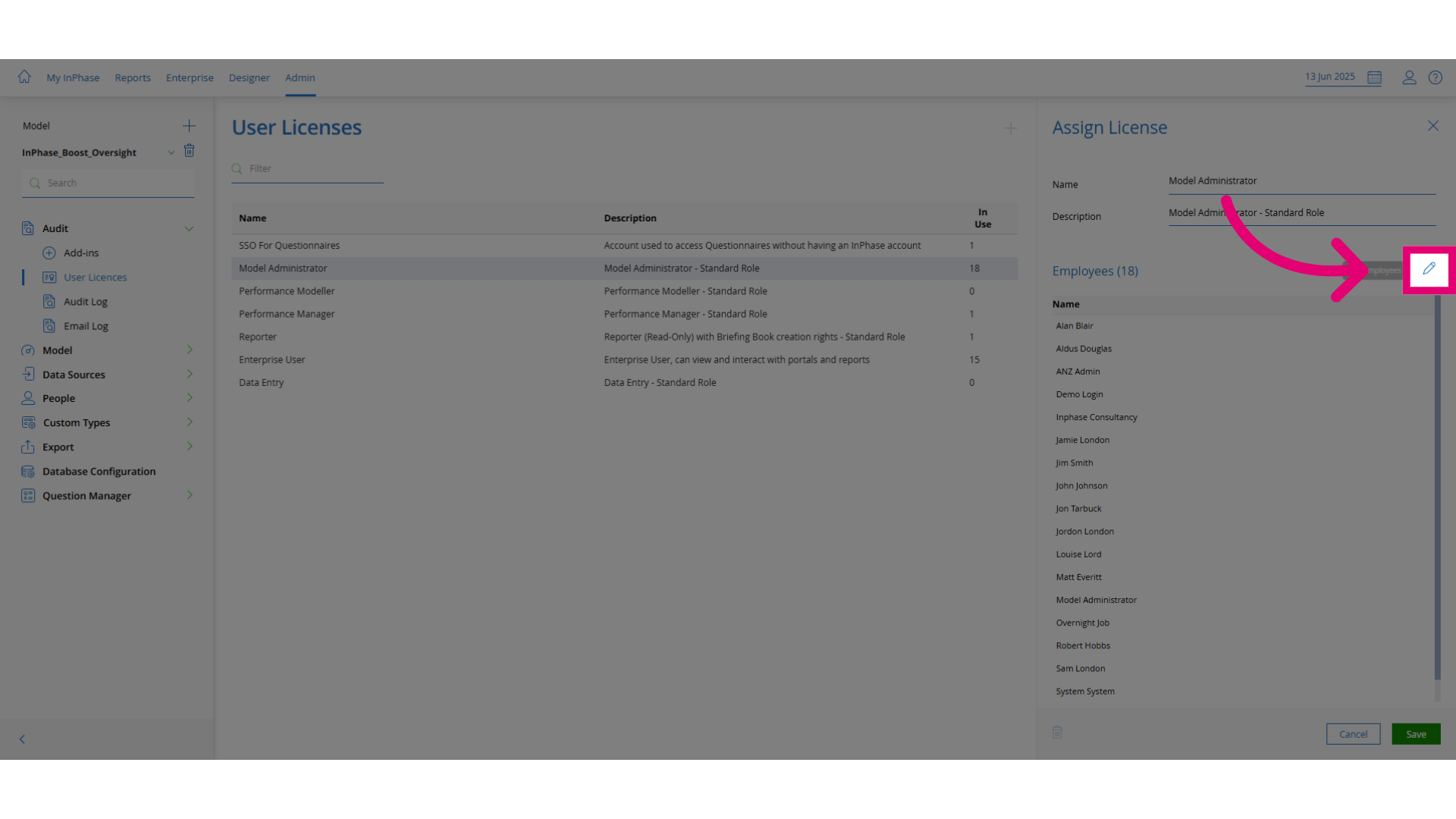
- To make changes, click Edit Employees.
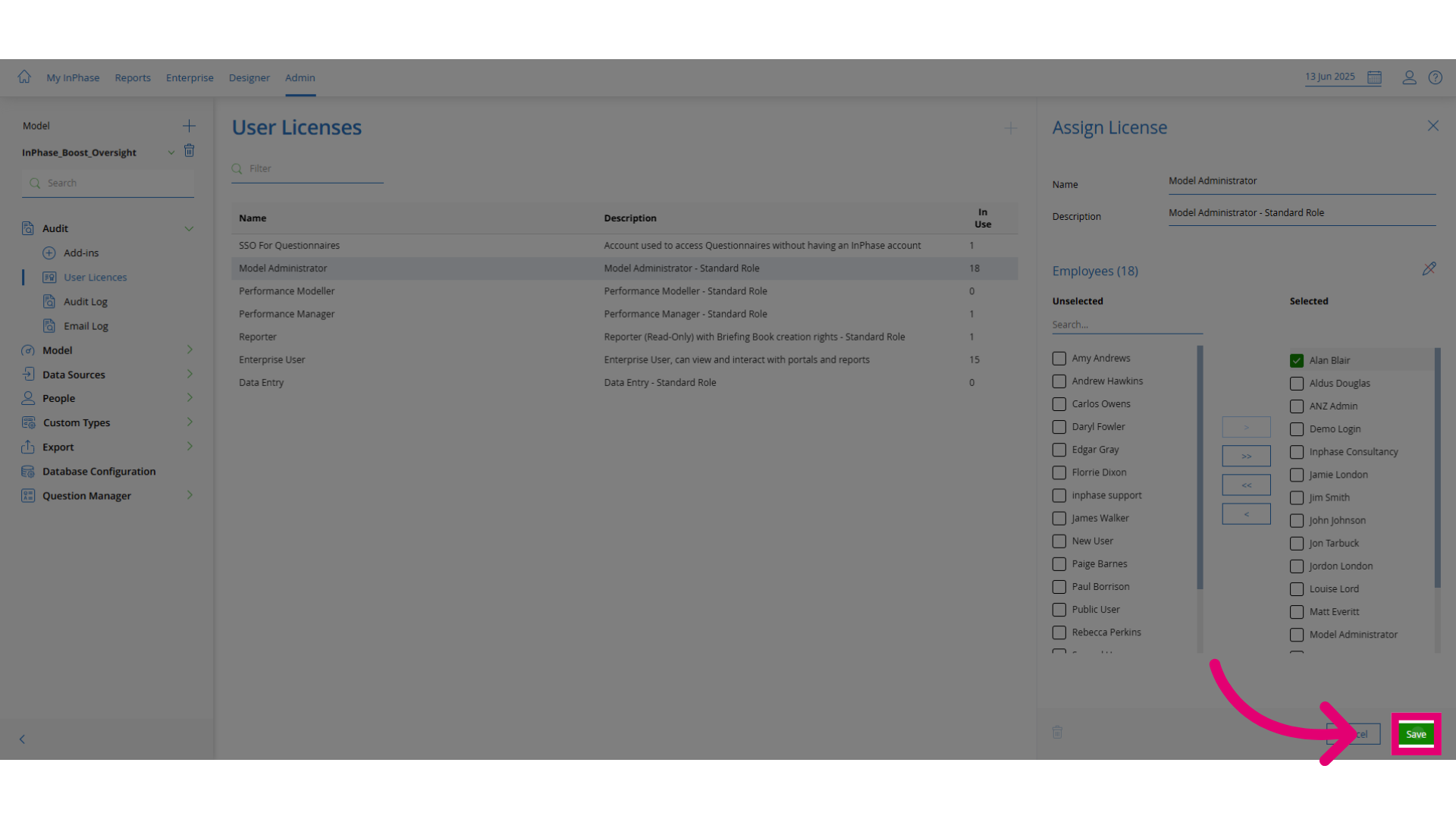
- In the edit view, unselected users are available for assignment, while selected users already have the licence.
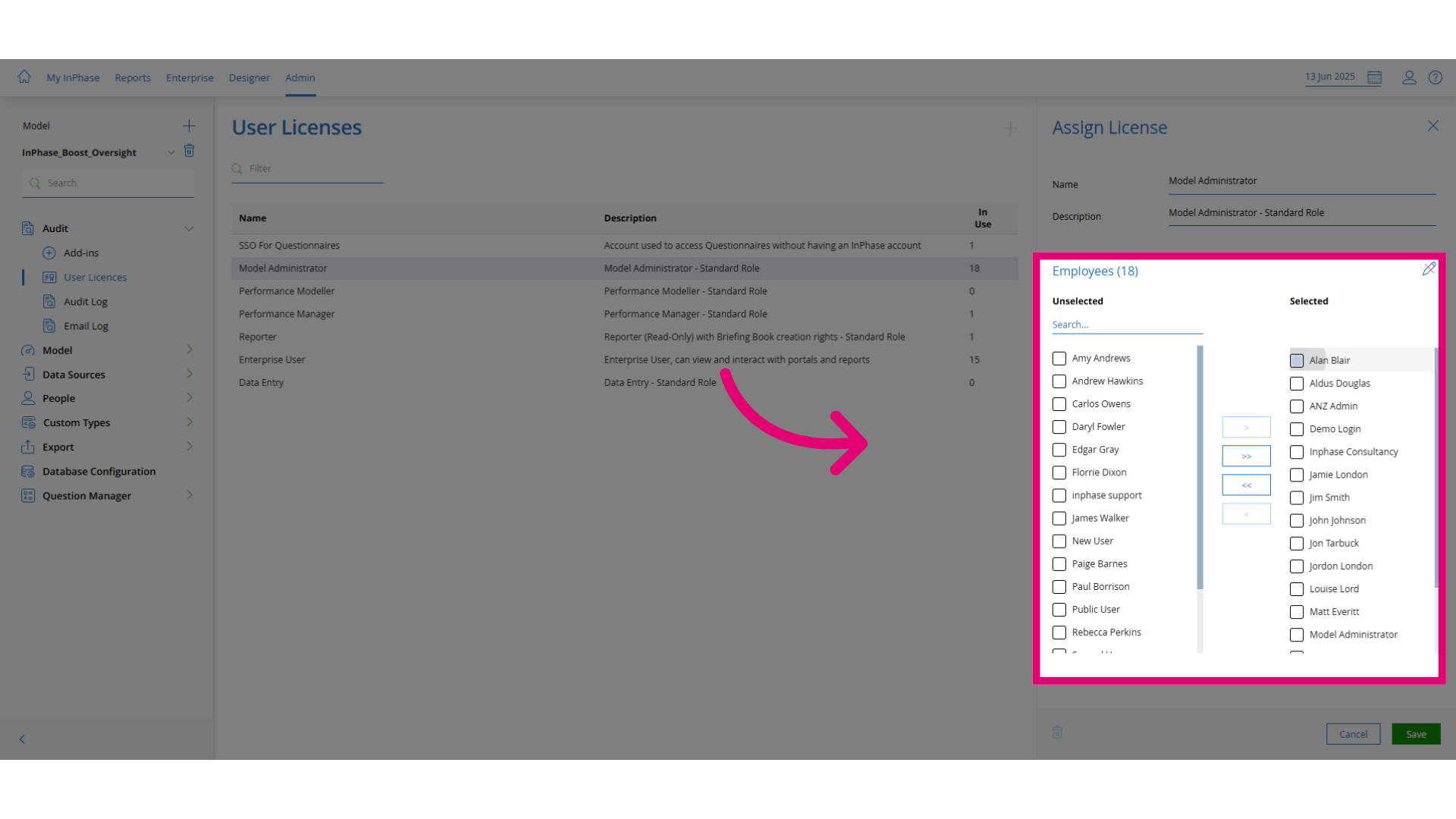
- Make any necessary changes to the user assignments.
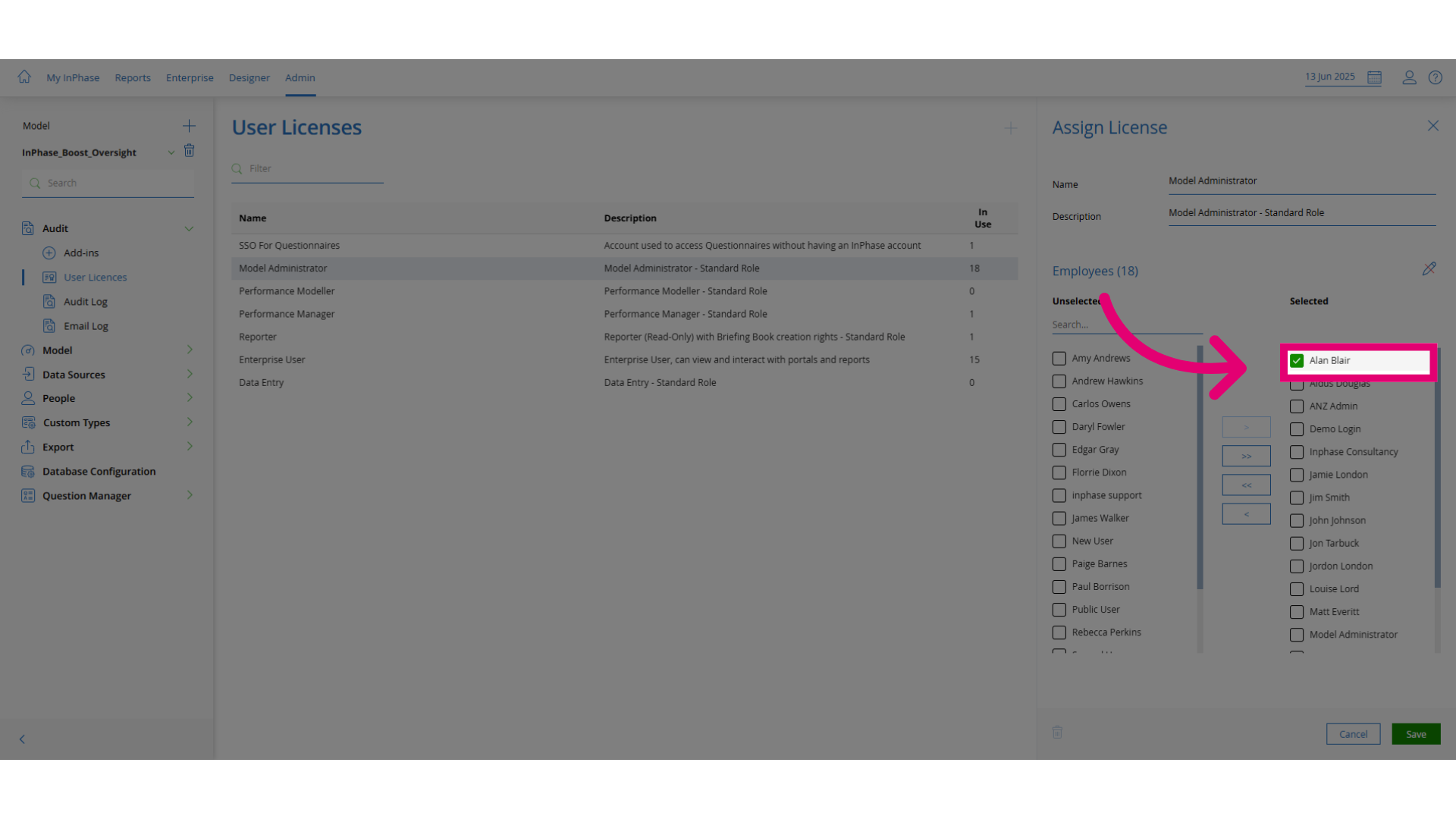
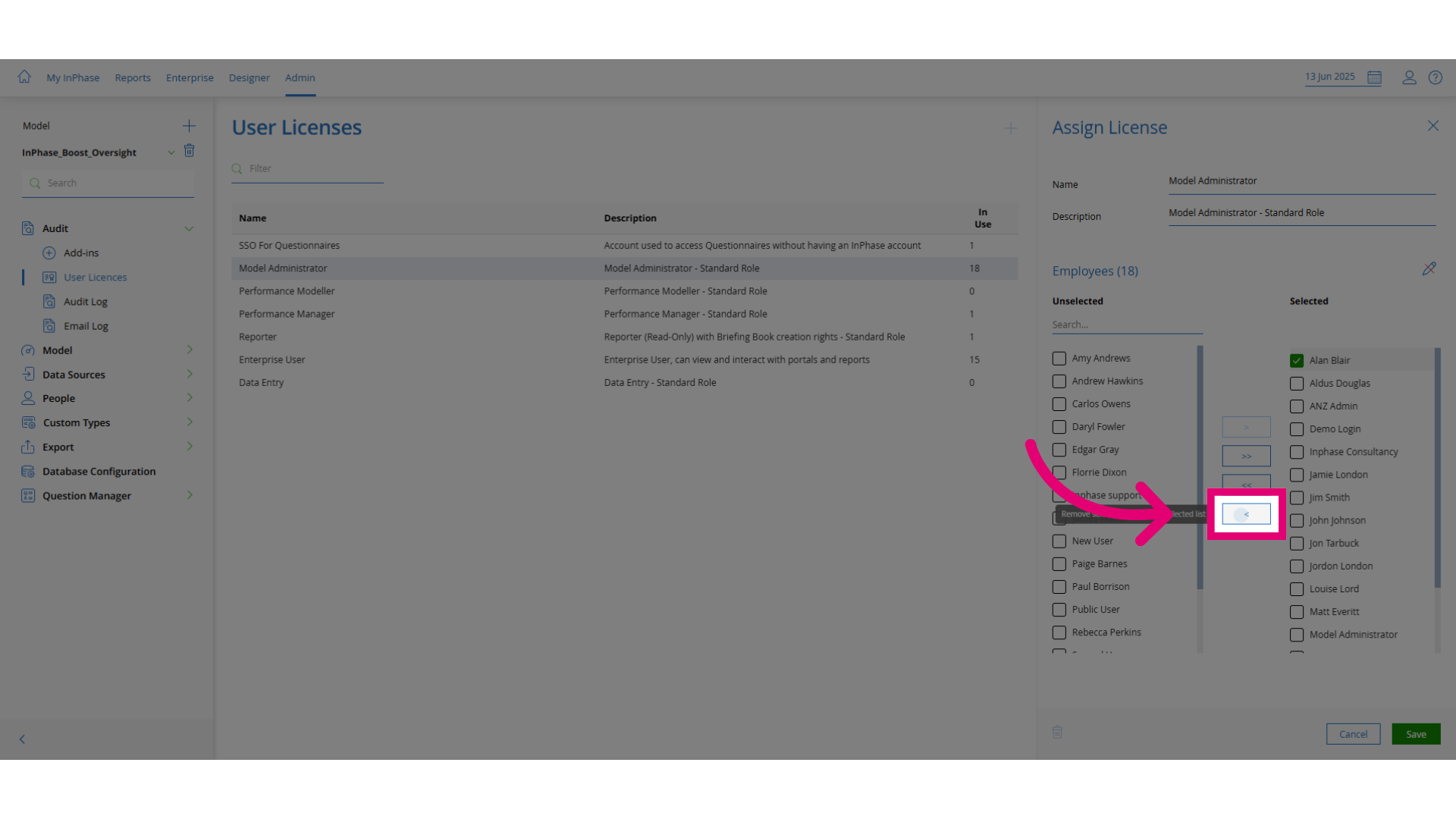
- Once changes are made, click Assign to apply them.
- Finally, click Save to confirm and store your changes.