New article
Recently updated
Bulk updating the org structure

Who is this article for?
Administrators managing the org structure.
Administrator access is required.
Updating your organisational structure can be a time-consuming task—especially when changes affect multiple teams, departments, or roles. Fortunately, bulk updating offers a powerful way to implement large-scale changes quickly and efficiently. Whether you're onboarding a new division, restructuring teams, or aligning your org chart with strategic goals, bulk updates can save hours of manual work.
This article outlines how to perform a bulk update the org structure.
This article outlines how to perform a bulk update the org structure.
Before performing a bulk update, it's essential to thoroughly review your CSV files for accuracy and data integrity. Even a small error or inconsistency in the file can lead to widespread issues across your system—affecting reporting lines, user access, or group assignments. Taking the time to validate your data upfront helps prevent disruptions and ensures a smooth, reliable update process. Please keep a backup copy of your original CSV before making any changes.
-
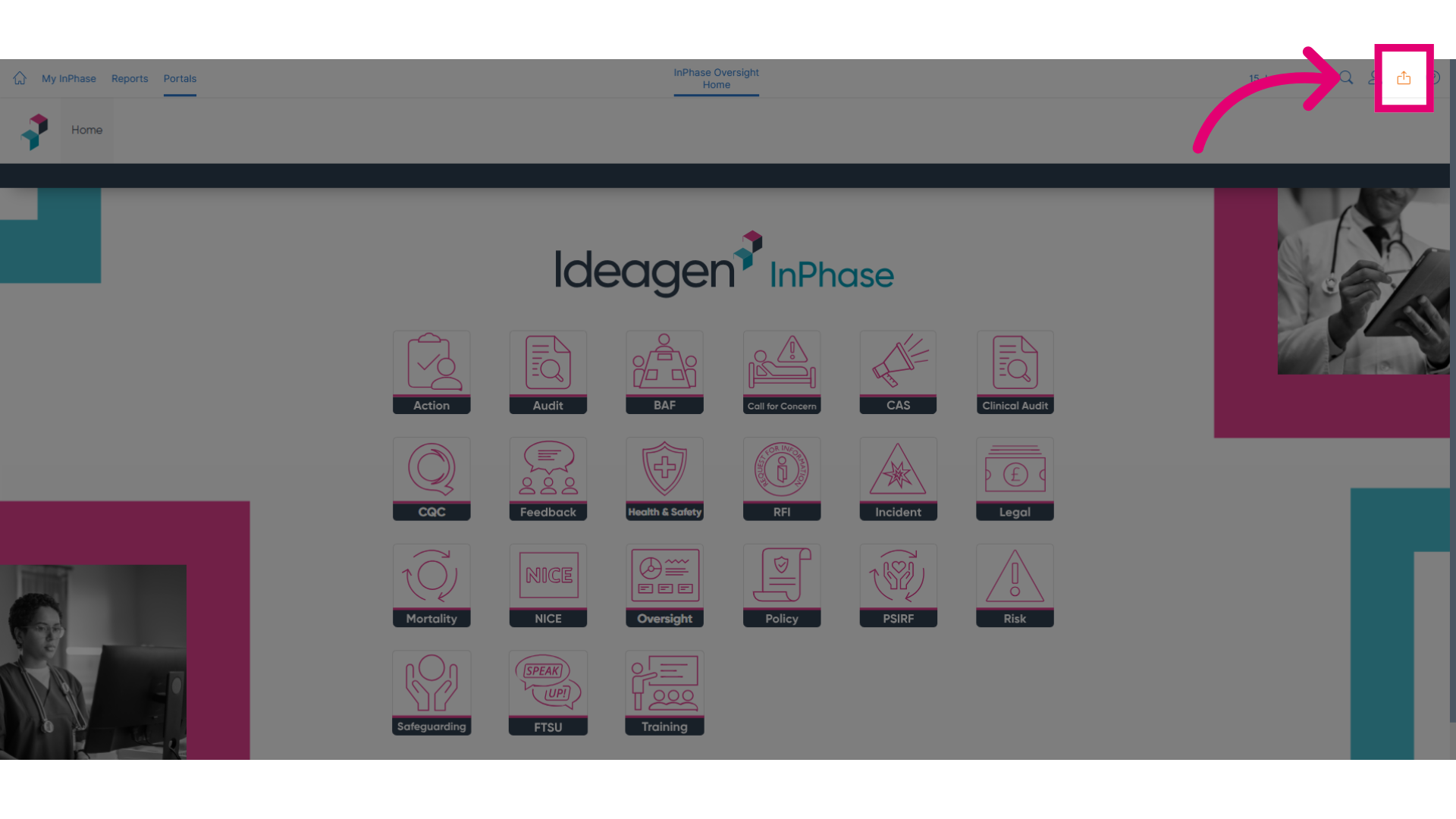
Click Send to to begin the update process.
-
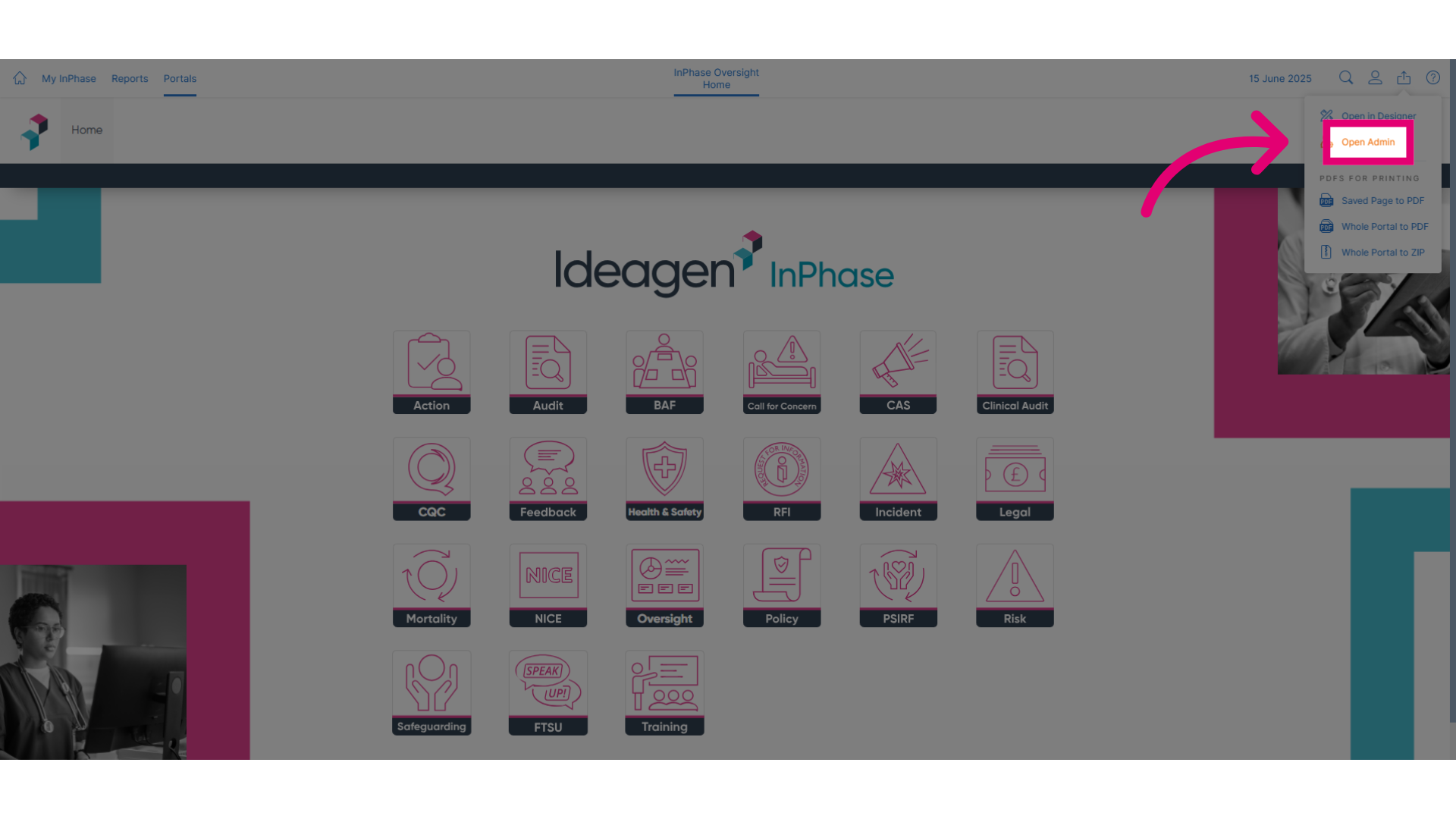
Click Open Admin to access the administrative tools.
-
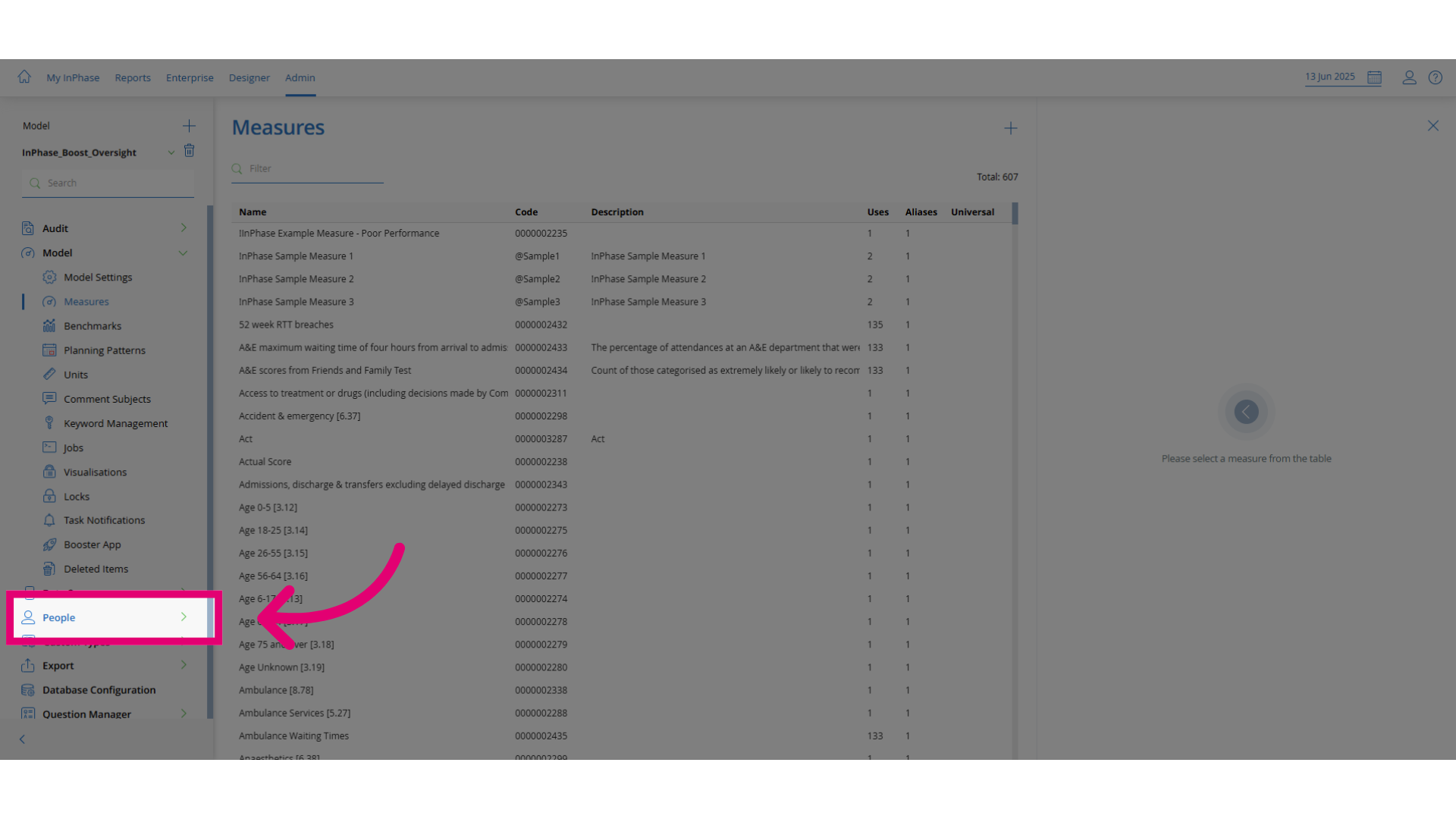
Click People to open the personnel management section.
-
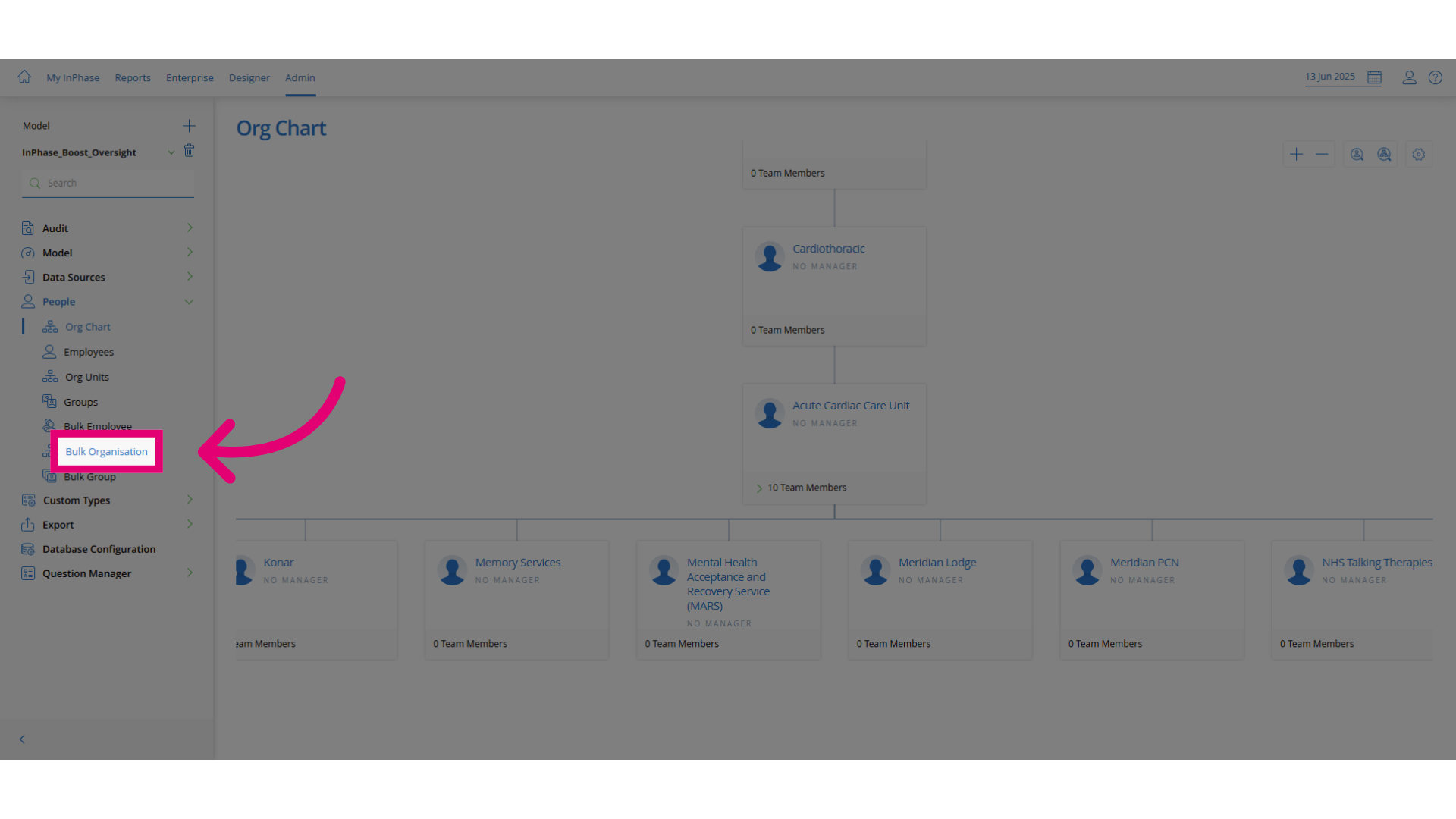
Click Bulk Organisation to access the bulk update feature.
-
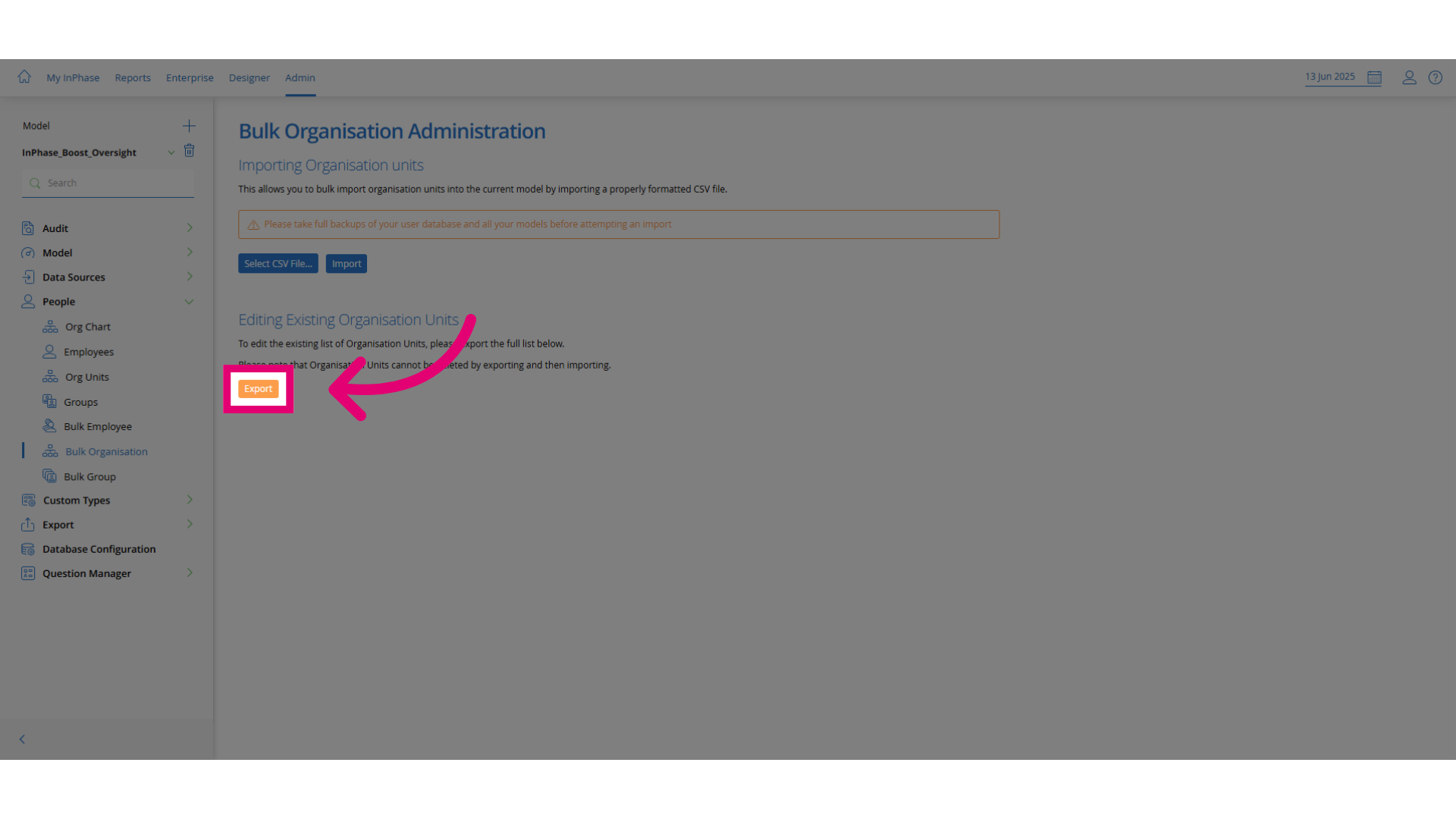
Click Export to download the current org structure as
a
CSV file. You will edit this file to reflect the new structure.
-
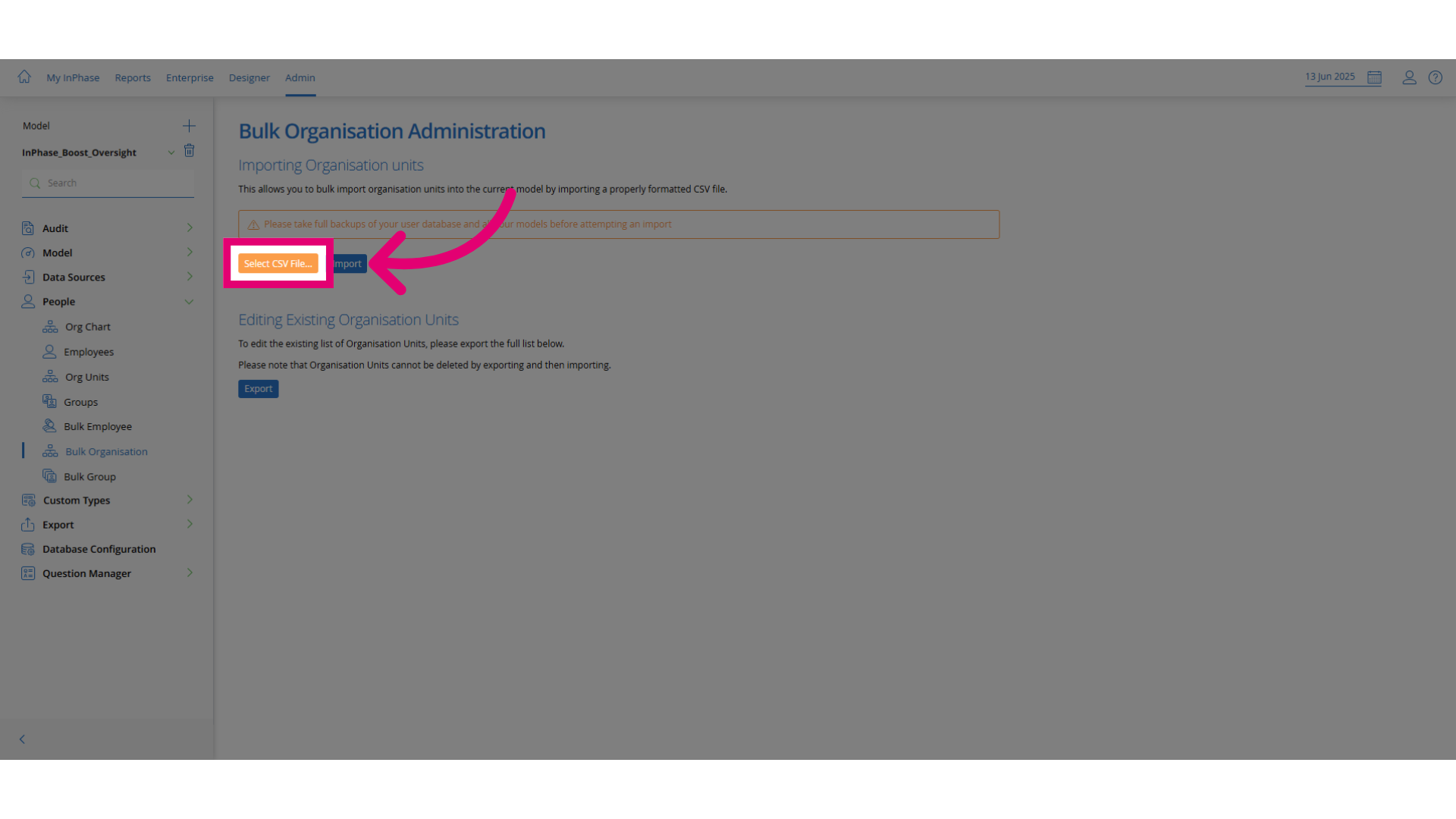
Click Select CSV File... to upload your updated CSV
file.
-
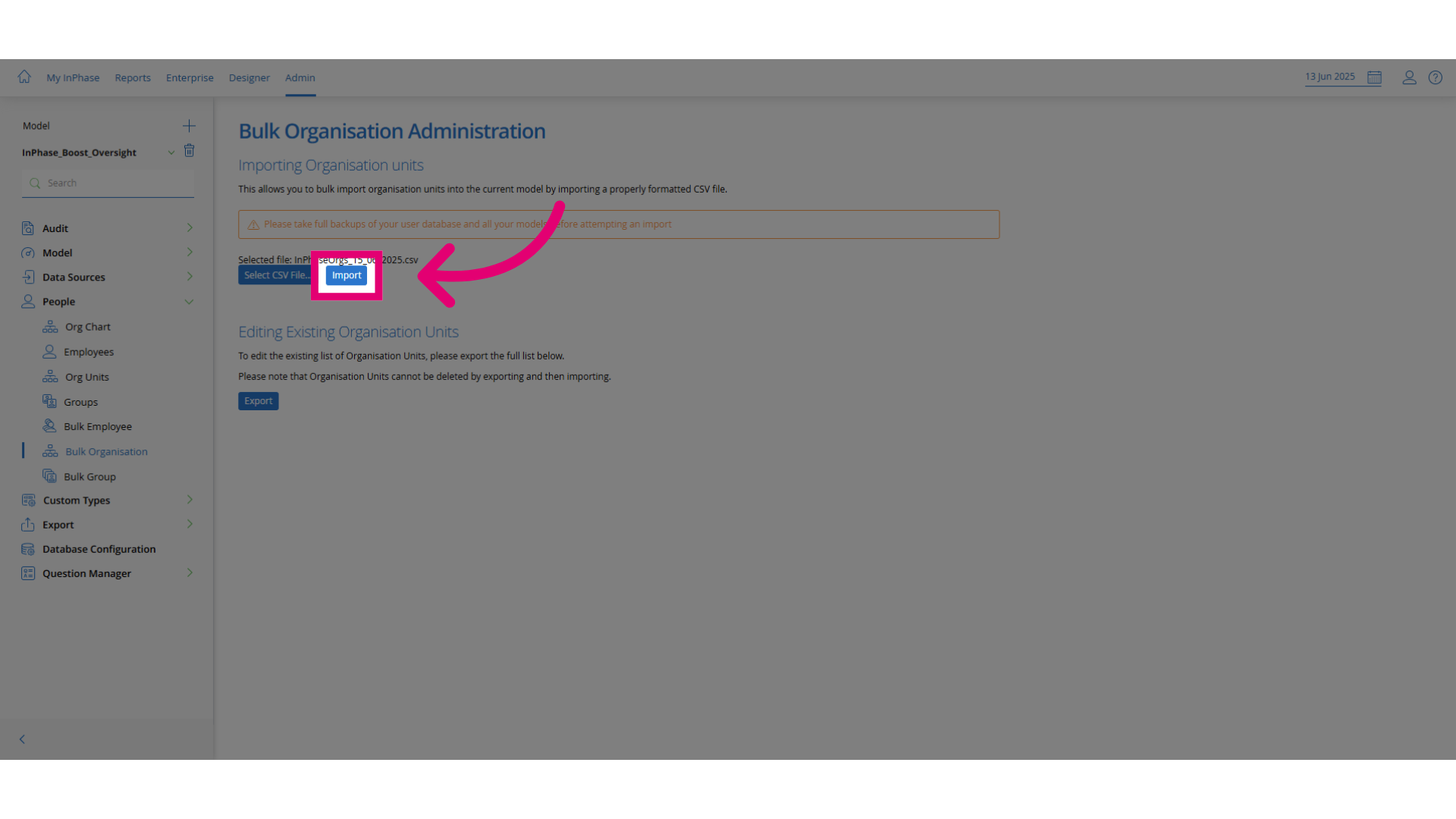
Click Import to begin importing the updated data.