New article
Recently updated
Updating a trigger

Who is this article for?
Administrators managing user groups.
Administrator access is required.
In Ideagen Healthcare Guardian, a trigger is an automated rule or condition that initiates a specific action within the system when certain criteria are met. Triggers are a powerful tool for automating workflows, ensuring timely communication, and maintaining data accuracy without requiring manual intervention.
This article outlines how to update a trigger.
-
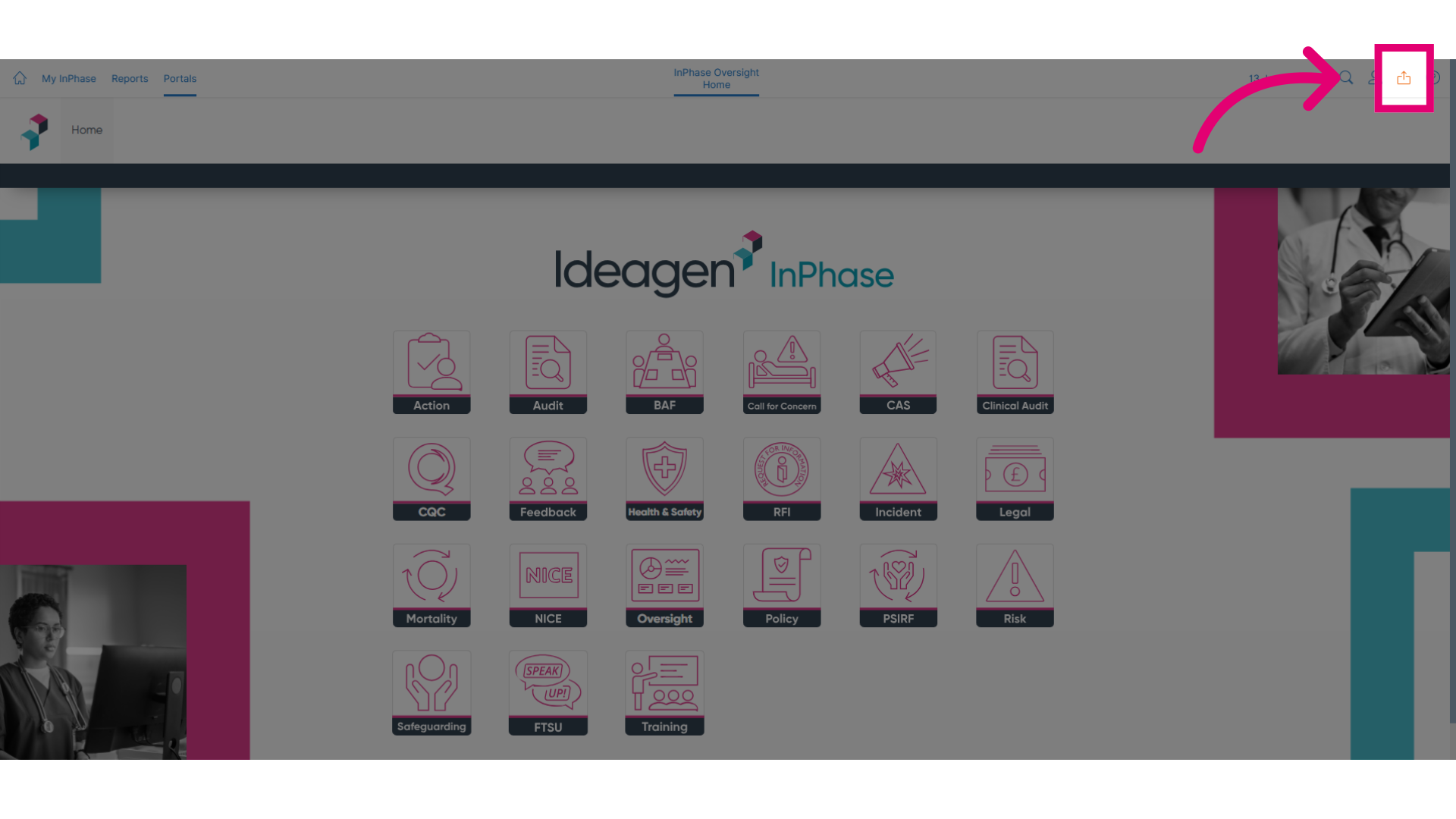
Click Send to to navigate to the desired location.
-
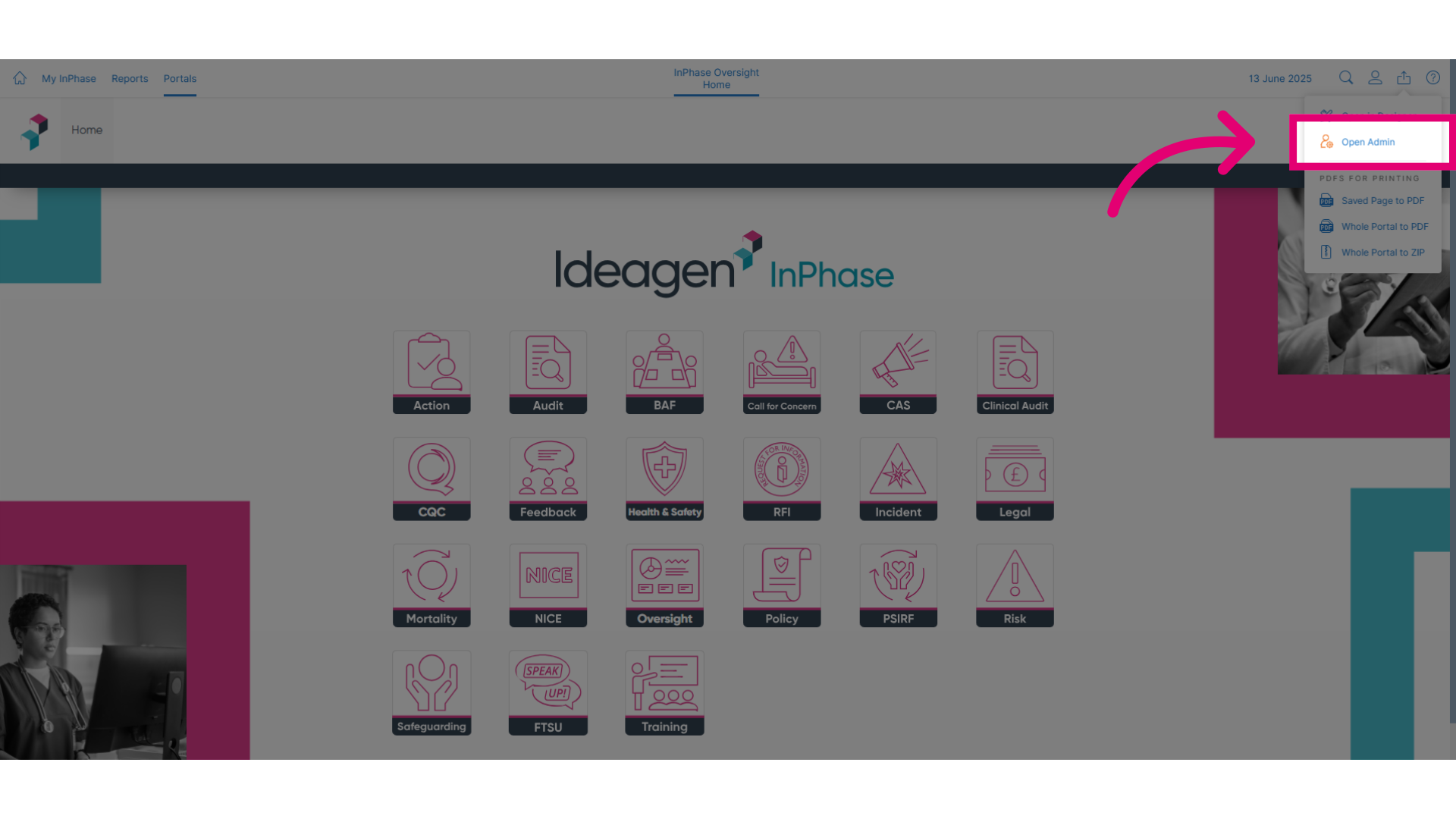
Click Open Admin to access the administrative settings.
-
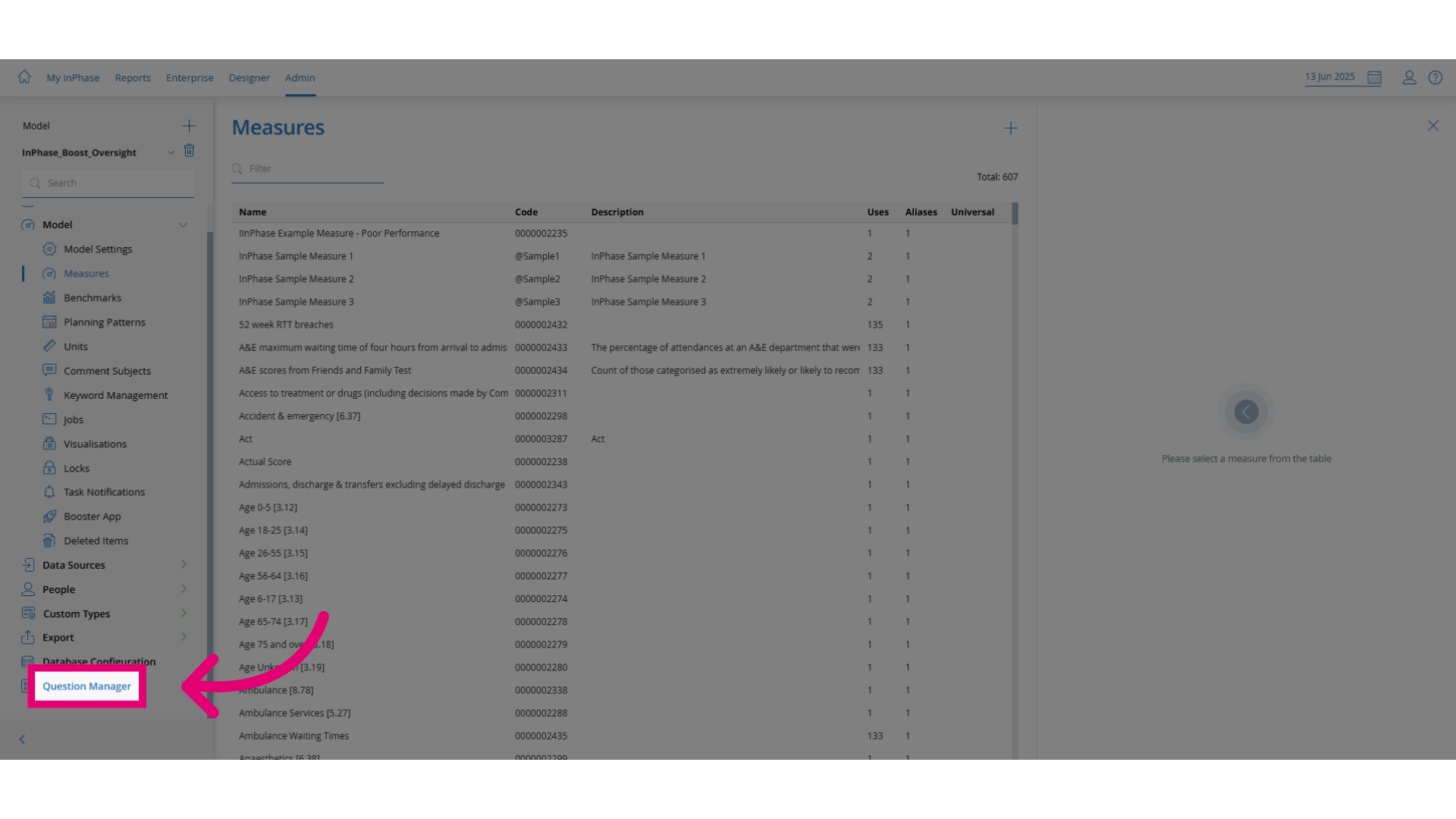
Click Question Manager to open the feature.
-
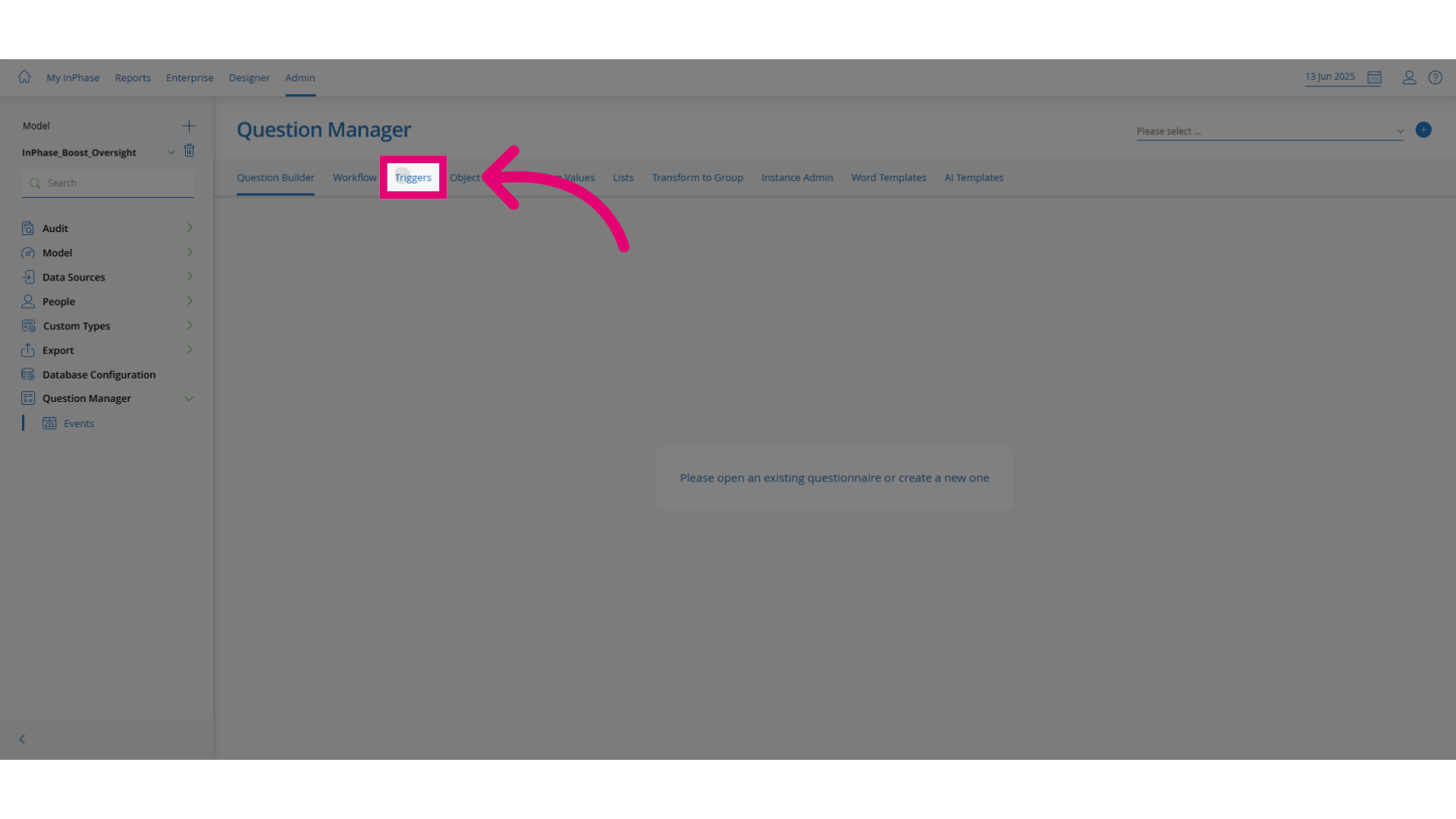
Click Triggers to access the trigger settings.
-
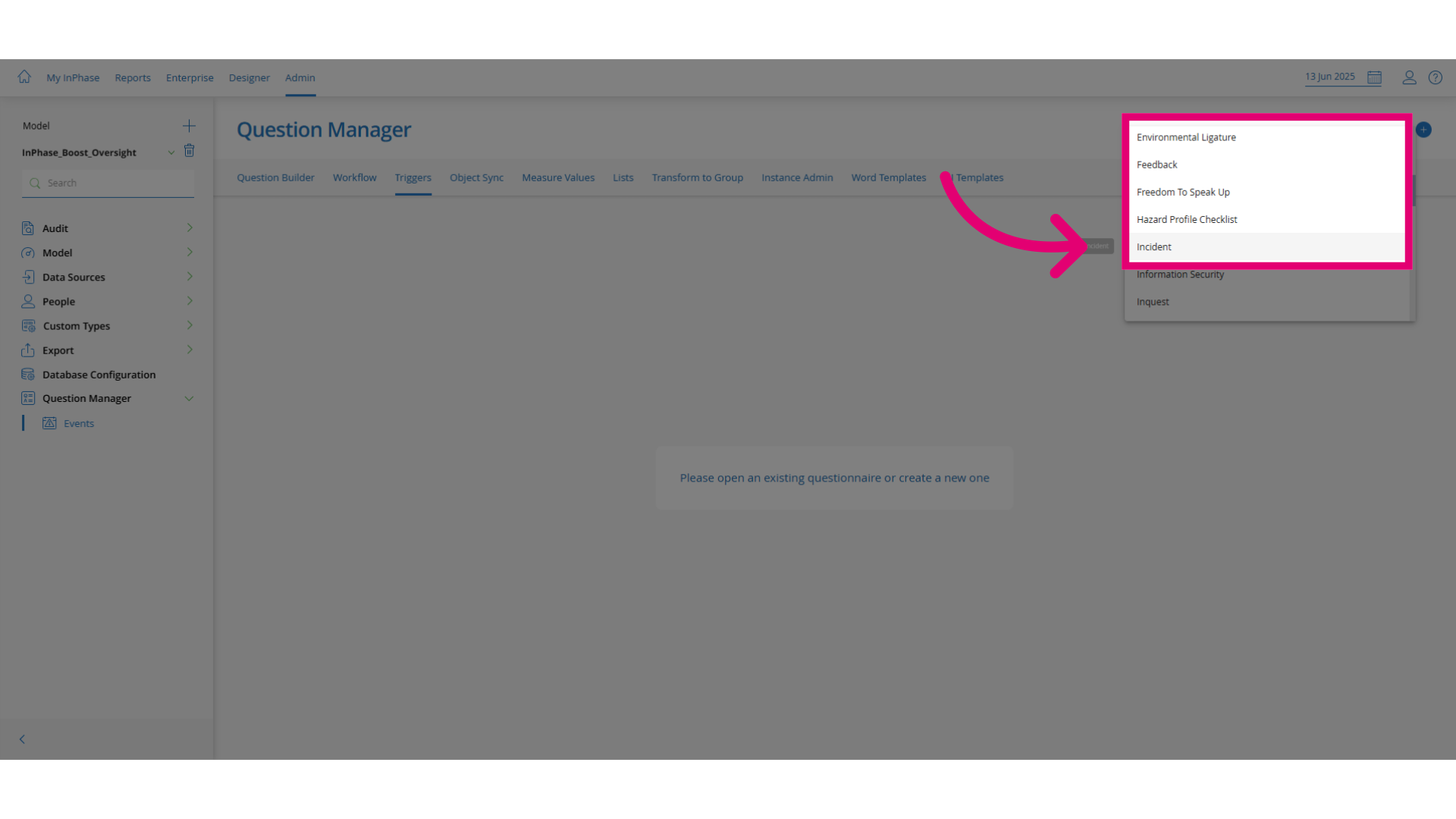
Select the relevant question set (e.g., Incident).
-
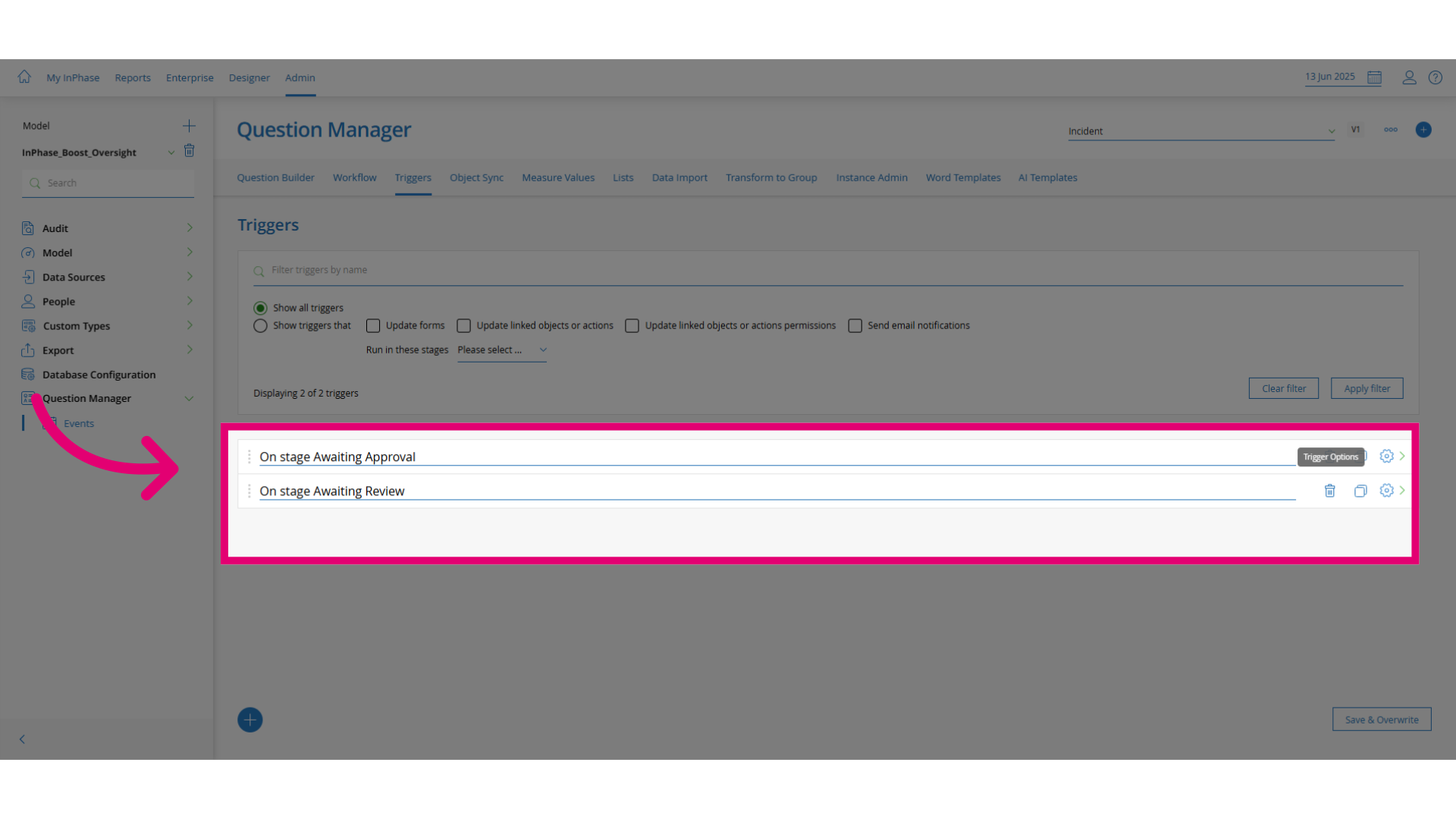
Browse to the condition that needs to be updated.
-
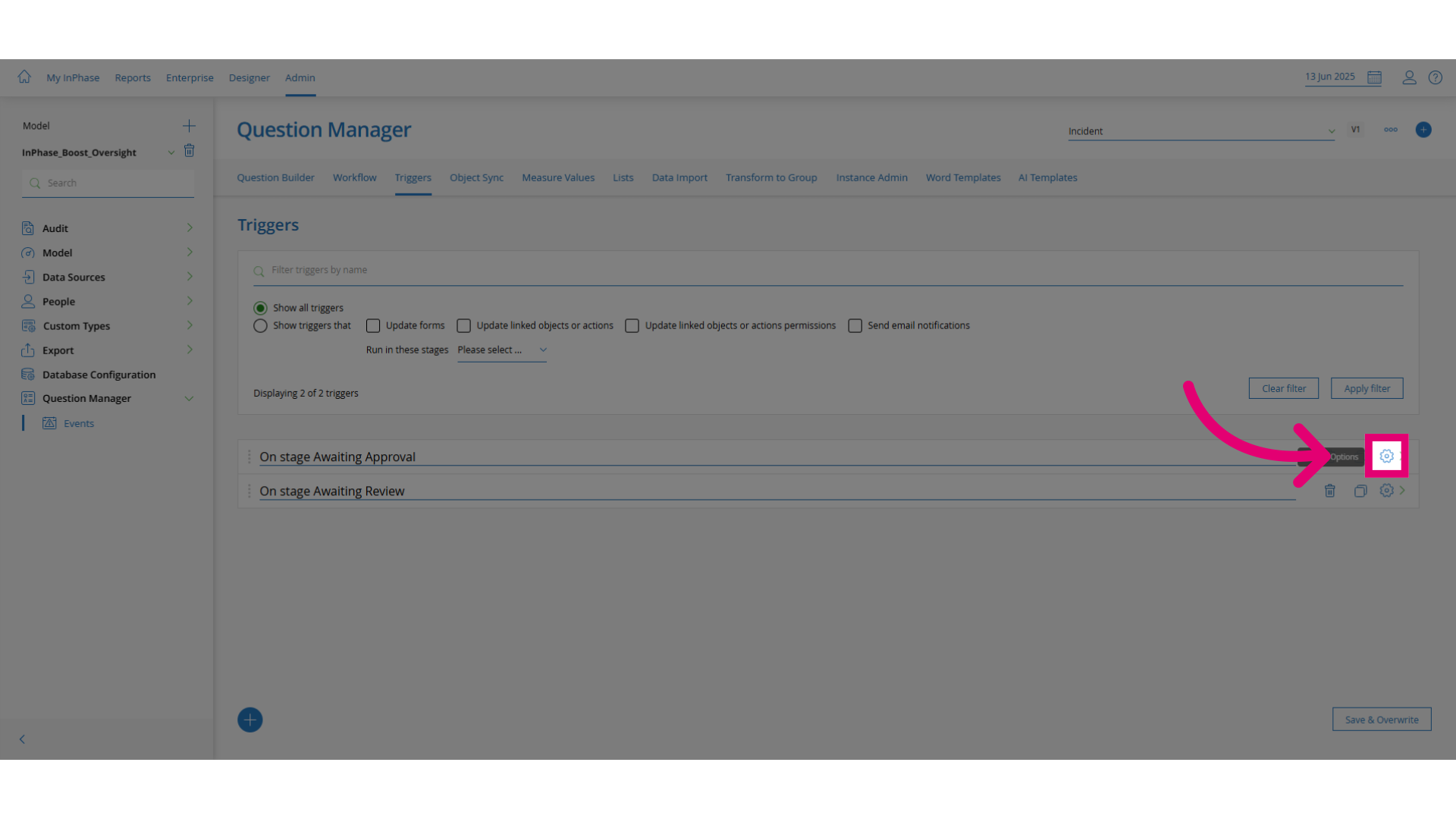
Click Edit to modify the condition.
-
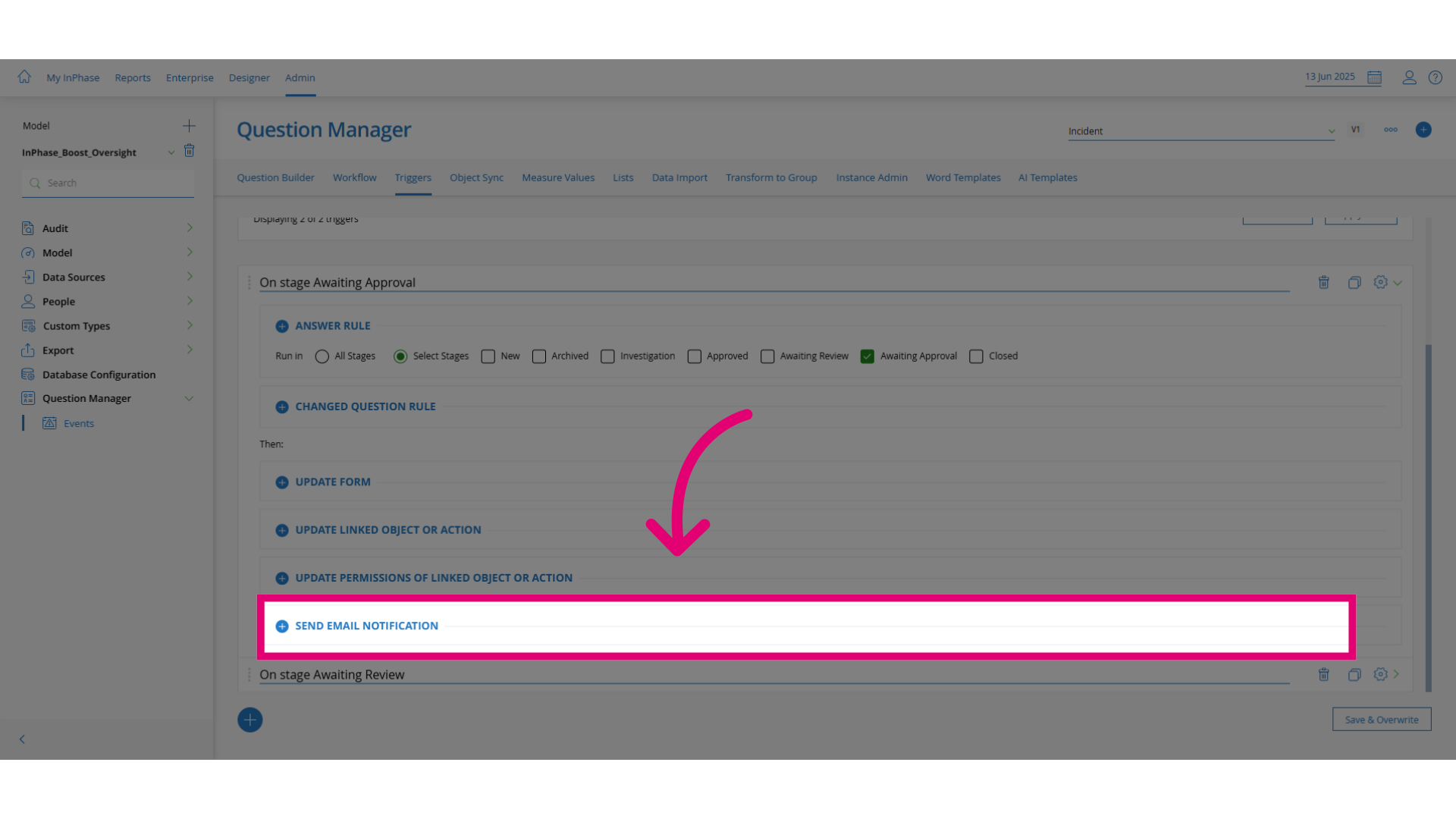
Locate the specific trigger that needs to be changed.
-
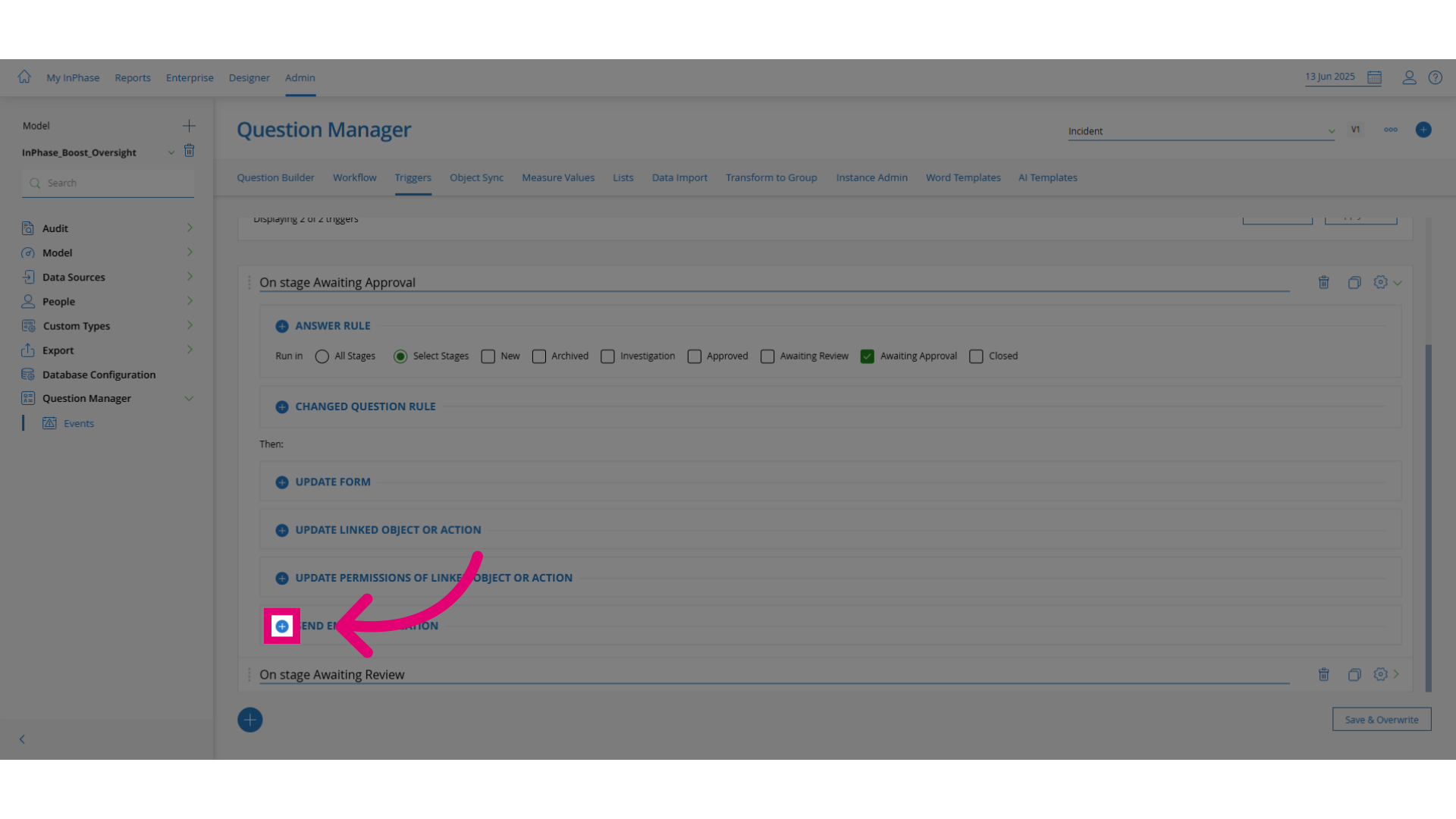
Click Add to insert a new behaviour.
-
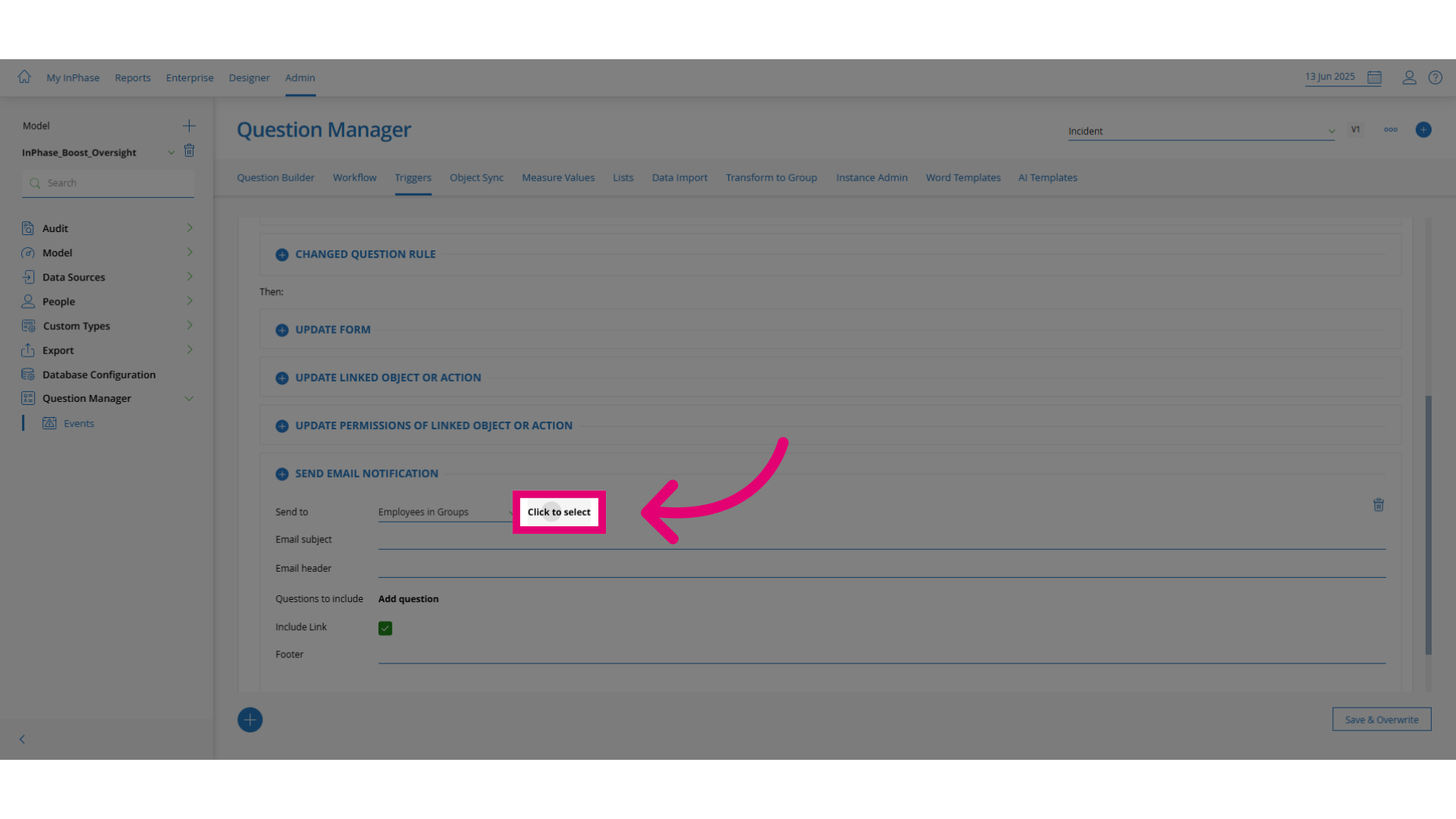
Set the behaviour by selecting the appropriate option (e.g.,
Click to select).
-
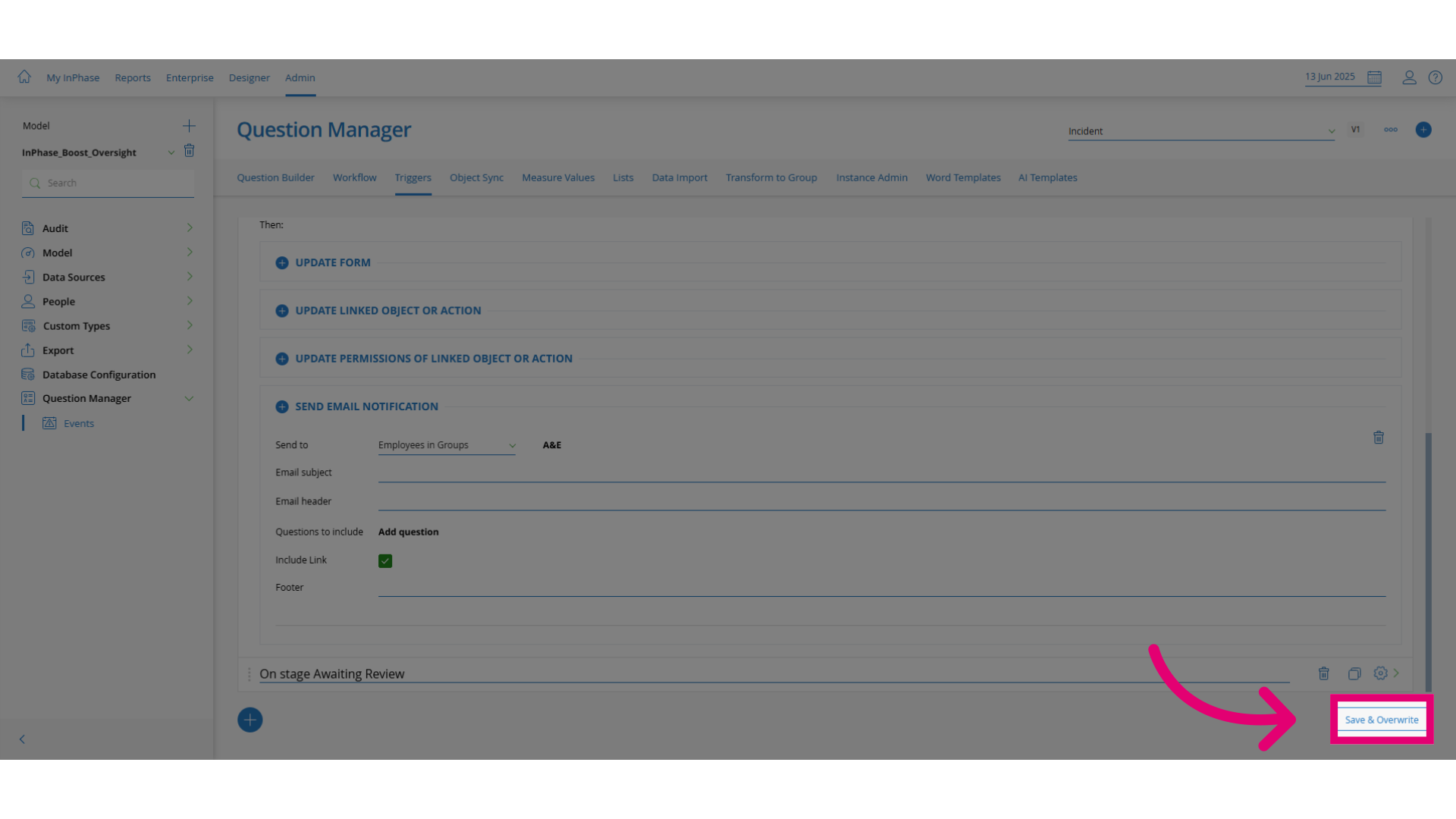
Click Save & Overwrite to apply your changes.